
How to Clean a Real Estate Database Before a Reactivation Campaign
How to Clean a Real Estate Database Before a Reactivation Campaign
You have thousands of contacts sitting in your CRM. Some haven’t opened an email in two years. Others bounced months ago and nobody noticed. Now you want to run a reactivation campaign, and that database is a minefield. Here is the exact process to clean it before you hit send.
Key Takeaways
- Sending a re-engage or reactivation campaign to a dirty email list full of dead contacts, spam traps, and bounces can destroy your sender reputation and inbox placement for months, affecting every future message you send.
- The cleanup process must cover duplicates, bounced and invalid emails, consent and suppression lists, and clear rules for which contacts are eligible for outreach.
- All work should be done inside your CRM (such as Sure Send) using filters, Smart Lists, and bulk actions rather than exporting and re-importing CSVs that introduce new errors.
- Maintaining a clean and accurate real estate database is essential for effective lead nurturing, and outdated or dirty data wastes time and damages professional reputation.
- The goal is send-readiness: a smaller, verified, opted-in email list that is safe to receive a reactivation campaign and will actually produce conversions.
Why You Must Clean Your Real Estate Database Before Any Reactivation Push
Picture this: a mid-sized real estate team is planning a “Fall 2026 Homeowner Re-Engage” email blast. They have 30,000 contacts sitting in their CRM, collected over years from portal registrations, open houses, referrals, and old website forms. The team leader writes a great subject line, loads a market update template, and prepares to hit send to the entire list. This is the moment where campaigns either launch successfully or damage a brand for months.
Hitting that entire email list without cleanup triggers high hard-bounce rates, spam complaints, and spam traps, which damages domain and IP-level sender reputation. Poor data quality costs organizations about $12.9 million annually across industries, and while a single brokerage won’t hit that number, the principle scales down painfully. High bounce rates increase customer acquisition costs, and poor email list hygiene can increase costs by thousands annually. Email service providers penalize poor list hygiene with lower deliverability across every campaign you run afterward.
Once inbox providers like Gmail, Outlook, and Yahoo flag your domain, even new leads and hot nurtures will land in Promotions or Spam for weeks or months. Consider that 46% of mobile users prefer email for business communication, which means your primary channel for reaching buyers and sellers gets throttled precisely when you need it most. Real estate data decays quickly as people move and details shift, so a list that was healthy two years ago is almost certainly not healthy today.
Database cleaning is not about organizing pipelines or restructuring your CRM. It is strictly about data hygiene and email send readiness for real estate contacts. Sure Send is built with deliverability and email list cleaning in mind, so this process is faster, safer, and easy to manage inside the CRM for a better user experience in real estate workflows.
Define the Scope: Which Contacts Are in Play for This Cleanup?
Before you touch a single record, set a clear project boundary. Conduct a detailed audit of database health to identify gaps and inefficiencies, and organize your database into meaningful categories for effective segmentation. Not every contact in your system needs to be part of this cleanup.
Here is how to scope your reactivation cleanup:
- Select only contacts with at least one email address on file
- Filter by lifecycle statuses relevant to re-engage campaigns: “Lead,” “Past Client,” “Sphere,” “Open House Registration,” “Portal Registration”
- Exclude records like vendors, internal staff, lender partners, and one-off transaction contacts who never consented to marketing email
- Apply date filters to narrow the universe, for example “created before 2026-07-01” and “last email activity before 2026-01-01”
- Build a working “Reactivation Cleanup” Smart List in Sure Send (or your CRM of choice) so every step that follows operates on the same defined collection of contacts
For example, if you have 30,000 total contacts, this scoping step might reduce your working set to 18,000 that actually qualify for a marketing re-engage effort. That number is your cleanup universe.
Set Clear Rules for “Send-Eligible” vs. “Do Not Contact”
You cannot safely clean an email list without written rules defining who is eligible for marketing email and who must be suppressed. Define standard data-entry rules to improve data quality across your system, and establish a permission protocol to control administrative editing rights in the database. Use controlled vocabularies instead of free text to improve reporting consistency when categorizing contact statuses.
Send-Eligible Criteria
- Recent engagement window: opened or clicked an email in the last 12–18 months
- Valid email status confirmed (no hard bounces, no syntax errors)
- At least an implicit marketing relationship: lead inquiry, past client, sphere member, or active home search registration
- Define a single source of truth for each data type to improve accuracy and consistency
Do Not Contact Conditions
- Explicit unsubscribe or opt-out on record
- Hard bounce status
- Legal complaints or cease-and-desist requests
- Contact requested “phone only” or “mail only” communication preferences
- Prior harassment or ethics issues documented in CRM notes
These rules must be documented once in a team playbook or brokerage operations document so that future email list cleaning passes use the same definitions. Sales, marketing, and operations should agree on the thresholds before anyone overrides eligibility decisions. Control access and protect sensitive information using role-based permissions so that not every agent can override suppression rules. Standardize fields and values for addresses, phone numbers, and emails to prevent errors across all records.
Align these definitions with CAN-SPAM requirements (unsubscribe within 10 business days, physical address in messages), CASL if you work with Canadian clients, and GDPR if applicable to cross-border contacts, including unsubscribe handling as required by law in many jurisdictions. This is not a full compliance guide, but your eligibility rules should never conflict with the law.
Back Up and Sandbox: Protecting Data Before You Touch It
Any real estate CRM cleanup should start with backups and a rollback path, especially before merging or bulk suppressing records. Protecting your data before you make changes is non-negotiable.
Backup Steps
Export a Full CSV
- Export a full CSV of contacts in scope, including unique IDs, email addresses, consent fields, and key dates (created date, last activity date, last email sent). Name it explicitly: “2026-10-05_Reactivate_Backup.csv”
- Track changes and timestamps to maintain an audit trail of data modifications throughout the entire cleanup process
Sandbox Testing
Create a Test Segment
- Create a small test segment of 500–1,000 contacts to run the entire cleaning workflow on before scaling changes to the whole email list
- Use CRM-specific safety features like Sure Send’s activity logs, bulk action audit trails, and the ability to revert list membership or restore archived contacts
This sandbox approach lets you validate your segment filters on a small scale, including checking merge rules and suppression logic, before applying changes at volume.
Step 1: Identify and Merge Duplicate Contacts Safely
Real estate databases are breeding grounds for duplicates. Portal leads, open-house sign-ins, manual imports, and website registrations routinely create multiple records for the same person with variations of their name, email, or phone number.
Why Duplicates Matter
- Duplicates in databases lead to crossed wires with clients and split marketing efforts, meaning one person might get the same drip sequence twice or receive conflicting messages from two agents on the same team
- Data hygiene practices include identifying missing core fields and assessing duplicate files across the entire database
Tools for Identifying Duplicates
- Use CRM tools like Sure Send’s Smart Lists or built-in dedupe tools to find likely duplicates by matching on primary email, secondary email, phone number, or full name plus city
- Use automated data hygiene tools to flag duplicate records, but avoid automatic merging of similar names without comparing multiple attributes such as phone, address, and engagement history
Manual Merge Decision Rule
- Merging duplicate records preserves valuable activity history in CRM. Always merge, never delete, to keep past showings, offers, call notes, and email engagement history tied to each record
- Manual merge decision rule: always keep the email address with the most recent verified engagement and keep the record with the latest “Last Activity Date”
Example
Example: A buyer registered on a portal in 2023 as “Rob Martinez” with a Gmail address. In 2024, the same person signed in at an open house as “Robert Martinez” with the same phone number but a slightly different email. Your dedupe tool flags them as a likely match. You merge into one clean contact, preserving both email addresses, all showing notes, and the full engagement timeline. The identity of the contact is now unified.
Research from real estate CRM audits shows that agencies commonly find 30–40% of their contact lists are duplicates or uncontactable, accounting for wasted follow-ups and lost hot leads buried in duplicate records.

Step 2: Remove or Correct Obvious Invalid and Malformed Emails
Malformed email addresses are silent deliverability killers that also skew reporting and automation. They inflate your contact count while contributing nothing to your campaigns.
Patterns to Search and Fix
- Missing “@” symbols or missing domain extensions
- Common domain typos like “gamil.com” instead of “gmail.com,” “yaho.com” instead of “yahoo.com”
- Placeholder text like “[email protected]” or “[email protected]” used during quick lead entry at open houses or front desks
- Addresses with spaces, special characters, or multiple “@” symbols
Implementing Formatting Rules
Implement strict formatting rules for data entry to ensure uniform structure going forward. Standardizing data entry formats enhances segmentation and automation across every campaign and workflow. Run automated email verification tools to weed out hard bounces and outdated addresses before any send.
Bulk Filtering and Correction
Use bulk filters to isolate contacts whose primary email fails basic syntax checks, then either correct obvious typos or mark the address as invalid. If no valid alternate email exists, keep those contacts in the CRM for transaction and relationship history but remove them from active email list segments.
Sure Send’s email intelligence can flag syntactic issues at capture time, and this helps keep bad addresses out of the main email list. This prevents the problem from compounding with every new batch of leads.
Step 3: Audit Bounced Emails and Build a Bounce-Based Suppression List
A hard bounce means the email address is permanently undeliverable: the domain does not exist, the mailbox is closed, or the address was never real. A soft bounce is temporary (mailbox full, server temporarily down), but repeated soft bounces over time become functionally permanent. Both harm sender reputation when they accumulate. Healthy bounce rates should stay under 2%, and some systems like Amazon SES flag accounts for review at around 5%.
Process for Identifying Bounces
- Pull all contacts with at least one hard bounce event in the last 12–24 months across newsletters, property alerts, and market update campaigns
- Remove hard bounces and invalid email addresses to keep communication deliverability high
- Mark these contacts with a clear field (for example, “Email Status = Hard Bounced”) and add them to a permanent suppression list that outgoing campaigns must always exclude
- Identify addresses with multiple soft bounces across at least 3 sends over 60–90 days and treat them as effectively undeliverable, adding them to the same or a separate suppression segment
- Removing dead emails can improve deliverability rates immediately, often within the first campaign after cleanup
High bounce rates can damage your sender reputation significantly, and that damage does not recover quickly. In Sure Send, these suppression lists can be referenced directly in automation and broadcast filters, ensuring that re-engage emails never target known bad mailboxes.
Step 4: Isolate High-Risk Addresses, Including Possible Spam Traps
Spam traps are email addresses maintained by ISPs or blocklist operators to catch senders who mail old or purchased lists. There are two main types: “pristine” traps that were never used by real people, and “recycled” traps that were once real addresses, then abandoned, and later repurposed as traps. Real estate lists are especially vulnerable because they often include portal imports, vague newsletter signups, and scraped contacts.
Identifying High-Risk Addresses
- Flag contacts who have never opened or clicked a single email in 12–24 months and whose email was added via bulk import rather than a direct form fill or inquiry. Label them “High Risk”
- Role-based addresses like info@, sales@, and office@ and obviously generic addresses collected from third-party lists have a higher probability of being traps or producing low engagement
Handling High-Risk Addresses
- Consider sending these high-risk addresses through a reputable email verification service before any re-engage attempt, or simply exclude them from the first reactivation wave altogether
- Cleaning email lists can reduce spam complaints significantly, which directly protects your domain from blocklist events
Avoiding spam traps is central to protecting sender reputation. One bad blast can downgrade delivery for every future message to warm, active contacts and new leads alike. The difference between a successful reactivation and a deliverability disaster often comes down to how carefully you approach handling high-risk addresses before sending.
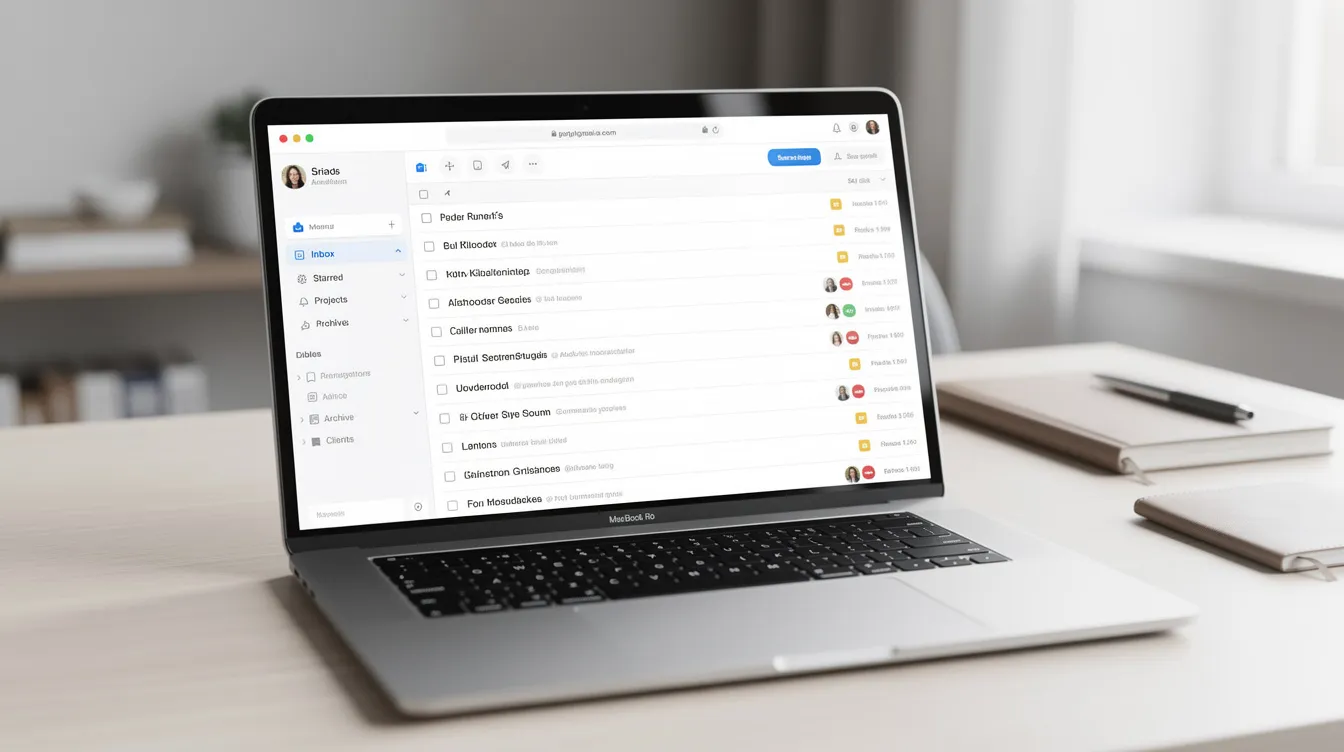
Step 5: Confirm Consent, Unsubscribes, and “Do Not Email” Flags
Respecting consent is both a legal requirement and a core signal inbox providers use to judge the quality of your sending behavior. Clean data ensures that automated follow-ups reach the right clients without risking complaints.
Mapping Consent and Suppression
- Pull contacts with any “Unsubscribed,” “Do Not Email,” “Complaint,” or similar flags from previous ESPs or CRMs and map them into a single, authoritative suppression field in your current system
- Even if a contact looks valuable, like a high-net-worth past buyer, they must be excluded from marketing if they opted out. They can still be contacted one-to-one by phone or personal email, if allowed by their preferences
Creating Consent Status Fields
- Create a distinct “Marketing Consent Status” field with values like “Explicit Opt-In,” “Implicit Relationship,” and “No Consent/Opted Out.” Re-engage campaigns should generally target only the first two categories
- Document the consent status for every contact so you can respond confidently if anyone questions your practices
Sure Send can preserve consent data across migrations and apply it consistently across newsletters, property alerts, and automation. This means your team does not have to manually cross-reference separate spreadsheets or legacy ESP exports when deciding who is eligible for marketing content.
Step 6: Separate Truly Dead Contacts from Candidates for Re-Engage
Before running any reactivation campaign, you need objective criteria to distinguish dead contacts from revive-able ones. Assuming every inactive contact is worth emailing is the fastest path to deliverability damage.
Dead Email Contact Criteria
- Zero opens, zero clicks, and no logged calls or texts in the last 24 months
- No property search activity tied to their account
- No transaction history within the last 5–7 years
- Inactive leads should be archived after six to twelve months of inactivity
These dead contacts should be archived from active marketing segments but never deleted. Preserve their history in case they surface again via a new inquiry with the same email address. Create automated reminders to reach out to dormant leads through non-email channels like phone or direct mail before writing them off entirely.
Re-Engage Candidate Criteria
- No email engagement in 6–18 months, but at least one prior open, click, or meaningful touches on record
- Or at least a past transaction within the last 5–7 years with a still-valid email
- Recent home search or website activity, even without email engagement
The re-engage email list should be built exclusively from these candidates plus recent but “cooling” contacts. Never build it from fully dead or unverified addresses. This is the best way to avoid treating every inactive record the same. This is where you recover value from your database without sacrificing deliverability.
Step 7: Build and Maintain Suppression Lists for Ongoing Protection
Suppression lists are living guardrails, and they should be kept updated as new bounce and consent data comes in each month. They prevent bad addresses from accidentally getting reintroduced into campaigns and automations when someone creates a new broadcast or workflow.
Key Suppression Segments to Maintain:
Suppression List | Who Belongs Here | Action |
|---|---|---|
Hard Bounces | Permanent delivery failures | Block all email |
Chronic Soft Bounces | 3+ soft bounces in 60–90 days | Block all email |
Spam Complaints | Marked you as spam | Block all email |
Unsubscribes/Opt-Outs | Contacts who opted out | Block marketing email |
High-Risk Legacy Imports | Unverified bulk imports | Block until verified |
Non-Email Channel Only | Phone/SMS/mail contacts only | Exclude from email |
These suppression lists should be referenced by default in all new newsletter sends, market updates, and re-engage workflows inside the CRM. Cleaning email lists can improve engagement and reduce CAC, and inactive emails can increase acquisition costs by 30%.
Create a separate suppression list for “Non-Email Channels Only” so agents still get value from those records through phone, SMS, or mailers without harming deliverability. Sure Send can apply suppression lists globally across the account, preventing new agents from accidentally sending to blocked contacts when they first join the team.
Step 8: Score and Segment Your Remaining Email List for Safer Sending
A scored, segmented list is far safer than a binary “send vs. don’t send” approach, especially for brokerages operating at scale with 50,000 or more contacts. Regular cleaning can improve email open rates by 20%, and cleaning CRM data can reduce customer acquisition costs by 30%.
Building a Scoring Model
Build a simple scoring model based on recency and engagement to help you pick who should receive the first re-engage wave:
- Opens or clicks in the last 30 days: +3 points
- Opens or clicks in the last 90 days: +2 points
- Opens or clicks in the last 180 days: +1 point
- Recent home search or website activity: +2 points
- Recent call notes or text exchanges: +1 point
- Past transaction in last 3 years: +1 point
Creating Engagement Tiers
Create tiers from these scores:
- Hot (6+ points): First wave of re-engage
- Warm (3–5 points): Second wave, 5–7 days later
- Cool (1–2 points): Third wave with careful monitoring
- Dormant But Safe (0 points, verified email, consent): Final wave with precise subject lines and clear unsubscribe
Sure Send’s AI-native Smart Lists can build these segments with natural language queries like “show contacts who opened any market update since 2026-04-01.” This keeps the first re-engage wave focused on proven, safe inboxes, which strengthens sender reputation before testing cooler segments.

Step 9: Test Send-Readiness with a Small, Controlled Warm Segment
A “deliverability test send” is your final checkpoint before broadcasting a full reactivation sequence. Think of it as a canary in the coal mine for your domain reputation.
How to Run a Test Send
- Choose a 1,000–5,000-contact segment of your most recently engaged subscribers (engaged in the last 90 days) and send a normal, value-based email like a market update or neighborhood report. Not a salesy blast
- Review metrics over 3–5 days: bounce rate should be below 0.5–1%, spam complaint rate below 0.1%, and open rates and click rates should be comparable to or better than prior campaigns
- If these metrics are poor, delay the full re-engage campaign and repeat further email list cleaning steps rather than pushing ahead and risking a block event
- Removing dead emails can lower CAC significantly by ensuring every dollar spent on email marketing reaches a real person who might respond
Sure Send’s deliverability dashboards can surface these metrics quickly so leaders can decide whether the database is truly send-ready. This step costs almost nothing in time but can save you from weeks of reputation recovery.
Ongoing Maintenance: Turning Cleanup into a Quarterly Habit
Real estate databases decay continuously. New leads come in daily, old addresses go bad, people move, and consent statuses change. Regular CRM data cleaning should be a quarterly practice, and email lists should be cleaned every 3 to 4 months at minimum.
Quarterly Maintenance Routine
- Run duplicate audits using automated matching rules
- Update bounce-based suppression lists from recent campaign data
- Prune long-dormant contacts into archive segments
- Re-score engagement tiers based on the latest 90 days of activity
- Monitor data-quality metrics such as duplicate rate and missing-field rate
- Actively update contact records after every interaction to enrich information
Schedule a Comprehensive Database Audit at Least Twice a Year
Schedule a comprehensive database audit at least twice a year, and establish a tiered maintenance calendar for database audits and cleanses. Implement a routine maintenance schedule to regularly check data quality across the entire system. Create distinct workflows for data cleaning projects to ensure sustained data accuracy.
Regular audits and updates are vital to maintain database accuracy over time. Automated jobs can flag suspicious records for human review, and Sure Send can schedule these hygiene tasks via recurrent automations and Smart Lists so team leaders do not have to remember every step manually.
This habit keeps the email list in a constant “almost send-ready” state, so re-engage campaigns can be launched quickly when the market shifts.
How Sure Send Supports Real Estate Database Cleaning and Send Readiness
Sure Send’s AI-native CRM was built with the understanding that deliverability is the foundation of every email marketing strategy. Regular email list cleaning can enhance overall marketing ROI, and the platform makes the process outlined in this guide significantly less manual with a cleaner user experience.
Relevant product features for email list cleaning:
- Smart Lists built through natural language for fast segmentation and filtering
- Proprietary email intelligence layer for bounce and spam-trap risk signals
- Activity timelines that survive merges, so you never lose call notes, showing history, or engagement data when deduplicating
- Global suppression list enforcement across the entire account, preventing accidental sends to blocked contacts
- Win the Day daily coaching loop that can surface overdue cleanup tasks like leads with repeated bounces or long inactivity as part of normal sales workflows
- Recurrent automations and workflow rules in the current version of your setup can help standardize suppression, re-engagement, and archive decisions
Sure Send’s open ecosystem and integrations with home search behavior and mortgage signals can also refine who should be in the re-engage segment versus who should be archived or suppressed. While the process described in this guide applies to any CRM, teams running on Sure Send can stay focused on core outreach instead of handling every cleanup task manually, with clearer deliverability data and better protection for their sender reputation. The efficiency gains compound over time as the system learns your database patterns.

FAQ
How far back should I go when cleaning my real estate email list for a reactivation campaign?
Most real estate teams should review at least the last 24 months of contacts, because buying and selling cycles can be long and seasonal. Contacts with zero engagement and no deal history beyond 24–36 months can usually be moved to an archived or “dead email contact” status before any re-engage attempt. Past customers from 5–7 years ago may still be worth keeping if their email remains valid and verified, but they should go into a cautious, lower-frequency segment rather than a full-volume reactivation wave.
Can I use a paid email list for a real estate re-engage campaign if I clean it first?
No. Even with thorough email list cleaning and verification, purchased lists lack consent, and spam traps are extremely common in them. Verification can identify invalid mailboxes but cannot fix the absence of permission, which still leads to spam complaints and poor sender reputation. Focus instead on past clients, sphere contacts, inbound new leads, and home search registrations captured with clear opt-ins inside your CRM. The conversion rates from permission-based lists will always outperform purchased lists, and you will not risk your domain in the process.
Should I delete dead contacts from my CRM once they’re suppressed?
In most real estate use cases, it is safer to suppress rather than delete. Agents retain notes, property tours, videos of walkthroughs, and transaction history that may become relevant again. Deletion might be appropriate only for obviously fake, spammy, or test records that have no business value. Keep a clear label like “Suppressed – Dead Email” so accurate reporting can exclude these contacts while keeping their history accessible for reference.
How often should I run a full email list cleaning process on my database?
A light-touch hygiene pass should run continuously via automation, such as auto-suppressing repeat bounces and flagging long periods of inactivity. A structured, manual review should happen at least quarterly. Schedule an extra-deep cleaning cycle before big seasonal pushes like spring listing season or end-of-year homeowner check-ins. Teams with high lead volume from portals and PPC campaigns might benefit from a monthly bounce and duplicate audit to navigate ahead of decay. Poor email list hygiene can increase costs by thousands annually, so the investment in regular cleaning pays for itself.
What’s the minimum list size that justifies formal email list cleaning?
Even solo agents with 500–1,000 contacts should practice basic list hygiene, because one bad send from a small domain can still be penalized by inbox providers. Marketers and companies of all sizes face the same deliverability rules. The larger the list (5,000 or more contacts), the more critical structured cleaning becomes, since deliverability risk and sender reputation impact scale with volume. The time saved and performance gained from email list cleaning almost always outweigh the effort, regardless of list size. A free audit of your current bounce and duplicate rates is often enough to see how much room for improvement exists.

Written by