
CRM with Transaction Management Software: 10 Top Picks
Picking the best CRM with transaction management means finding a platform that keeps contacts, contract stages, deadlines, and signed documents inside one connected record instead of scattered across two logins. Sure Send builds this directly into its pipeline boards, showing contract stage and renewal date next to the contact, and backs that up with direct integrations into the transaction and e-signature tools many sales teams already use.
The trouble starts when a CRM handles relationships well but treats contracts as an afterthought, or when a dedicated transaction tool handles compliance well but barely talks to the CRM at all. Data gets duplicated, deadlines go stale, and reporting splits across two dashboards that never agree with each other, leaving sales managers and broker-owners guessing at the real state of the pipeline.
This guide breaks down what CRM with transaction management actually means, the three real architectures behind it, ten evaluation criteria to run through in a demo, and where Sure Send and ten other platforms fit for different team sizes. Start with the definition below, then use the checklist before your next renewal decision.
Key Takeaways
There are three real architectures behind any CRM with transaction management, built-in, native integration, and middleware-connected, and each one fails in a different way once a team outgrows it.
Duplicate entry, missing dates, and lost client context usually happen at the handoff between systems, not because either tool is doing its job badly on its own.
Ten specific criteria, covering contacts, contracts, milestones, documents, e-signature, permissions, automation, reporting, audit history, and data portability, matter more than brand names during evaluation.
Sure Send builds transaction visibility into its pipeline boards and connects directly to transaction and e-signature tools, without forcing a team to abandon software it already trusts.
What Does “CRM With Transaction Management” Actually Mean?
A CRM with transaction management is a sales platform that combines contact and pipeline tracking with the contract-to-close steps that turn a signed deal into a finished transaction. Put simply, it merges two jobs that most software treats as separate: relationship management, which covers contacts, leads, calls, and follow-up history, and transaction management, which covers contract dates, document versions, signatures, and compliance sign-off. These two functions sound related, but they run on different clocks.
Relationship management rewards patience and consistency over months or years, while transaction management runs on hard deadlines measured in days, a tension that recent research framing innovation as a CRM performance driver explores in depth. When a platform blends both without losing depth in either, a sales rep and a transaction coordinator can look at the exact same record and see the same truth. When it doesn’t, most of what people call CRM problems actually show up at the seam between these two functions, not inside either one. A real estate agent logging a new contract, a loan officer tracking conditions, or an account manager closing closing a SaaS deal all hit the same wall: the CRM knows the client, but not the contract, or the transaction tool knows the contract, but not the client.
Where Handoffs Break Down

The clearest sign of a broken handoff is duplicate data entry. A lead gets qualified and entered into the CRM, then the same name, phone number, and notes get typed again into a separate transaction tool once the deal goes under contract. Deadlines suffer the same fate when the transaction tool doesn’t report status back to the CRM, so renewal or closing dates quietly go stale.
Reporting breaks down next, because sales performance dashboards sit in one tool while daily activity sits in another, leaving managers unable to connect effort to outcome. Client context gets lost too, since when an account changes hands mid-transaction, the new owner often starts from a blank notes field instead of the full history.
Three Ways CRMs and Transaction Management Can Work Together
There are three real ways a CRM and transaction management work together, and each comes from a different build decision rather than a marketing label. The first model builds transaction management directly inside the CRM, so contacts, contract stages, and documents share one database and one login. The second model keeps the CRM and a dedicated transaction tool as separate, specialized products connected through a direct, native integration that passes data back and forth in something close to real time. The third model connects two separate tools through middleware, commonly a service like Zapier, which moves data between systems based on preset triggers rather than a true two-way link.
None of these three approaches is inherently the wrong choice; the right one depends on team size, how strict compliance requirements are, and whether a team already has transaction software it likes and doesn’t want to give up. A small teams picking CRM closing a handful of deals a month might do fine with transaction management built into the CRM, since the simplicity outweighs the loss of specialized compliance features. A 30-agent guide to CRM for brokers that depends on dedicated audit-ready checklist software usually needs a native integration that keeps both tools at full strength without forcing a switch. Middleware sits in between, fast to set up and flexible for smaller, lower-volume workflows, but more fragile over time because it depends on rigid field mapping that can silently break the moment either platform changes its API.
Understanding which model a current setup actually runs on is the first step before evaluating any specific CRM with transaction management, because architecture decides what’s possible long before any single feature does.
Built-In vs. Native Integration vs. Middleware-Connected

Built-in transaction management offers one source of truth and nothing to sync, but it’s often shallower on either CRM depth or transaction-specific compliance features, which makes it a better fit for simpler, higher-volume teams than for brokerages with strict audit needs. A direct native integration keeps two specialized, best-in-class tools talking at the API level, preserving depth on both sides without the lag that comes from one-way syncing.
Middleware-connected setups, built through something like Zapier, are flexible and quick to launch, but they typically rely on rigid field mapping, often move data in only one direction, and can break silently the moment either connected platform updates its API.
| Model | Data Freshness | Setup Effort | Risk Of Breakage | Best-Fit Team Size |
|---|---|---|---|---|
| Built-in | Real-time, single database | Low | Low | Solo agents, small teams |
| Native integration | Near real-time, two-way | Moderate | Low to moderate | Growing teams, brokerages |
| Middleware-connected | Delayed, often one-way | Low | Higher over time | Small teams, light needs |
10 Evaluation Criteria Before You Choose a Platform
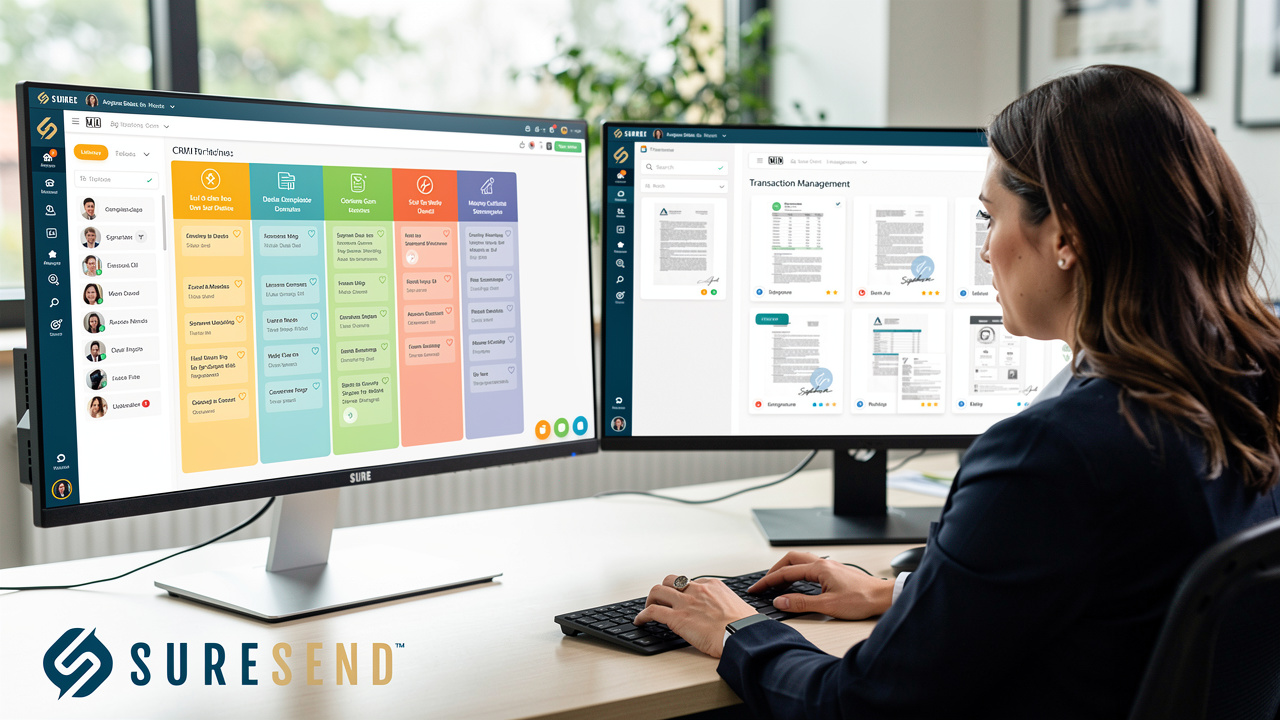
Choosing a CRM with transaction management comes down to ten specific, checkable criteria rather than brand reputation or interface polish alone. Contacts, contracts, milestones, documents, and e-signature status need to live inside one retrievable record that any team member can pull up without hunting through a second app. Permissions, automation, reporting, audit history, and data portability determine whether the platform actually removes administrative work or just moves that work somewhere else.
Running through all ten in a live demo, using an actual best CRM pipeline management, reveals far more than a feature list on a vendor’s website ever will. Teams that skip this step tend to discover the gaps only after they’ve signed a year-long contract, by which point switching costs real time and real money.
A platform that only sends time-based reminders no longer meets the standard that trigger-based, deal-stage automation has set.
For real estate teams specifically, a real estate CRM features needs to handle MLS-sourced listing data, contingency dates, and commission math without forcing a second login for every file. For SaaS and service businesses, the same ten criteria apply, just translated into renewal dates, service agreements, and project milestones instead of closing dates and inspection periods. A platform that scores well on contacts and e-signature but fails on audit history will eventually cause a broker-owner a bad afternoon during a compliance review, a risk echoed in research assessing CRM effectiveness in service quality for highly regulated industries like banking. Price matters too, but total cost of ownership, including the hours a transaction coordinator spends re-entering data, usually tells a more accurate story than the number on the invoice.
The Checklist for Contacts, Contracts, Milestones, Documents, and E-Signature
The first half of the checklist covers what happens to the deal itself as it moves from signed contract toward close, starting with whether contact records actually update as that happens.
Contact Records That Update Automatically real estate database software should shift status the moment a deal enters contract, without a coordinator re-entering the same name in a second app. If that update doesn’t happen on its own, the CRM and the transaction tool are really just two spreadsheets wearing different skins.
Milestone Dates On The Main Pipeline View Contingency periods, renewal dates, and closing dates need to show up where the deal already lives, not buried inside a transaction app nobody opens until something is already late.
Document Storage With Version Control Every file needs a clear owner, a visible history of who edited what, and a record of who currently has access, especially once multiple parties start sending redlines back and forth.
E-Signature Status That Syncs Back When a document gets signed, that status should post back to the CRM record automatically, so nobody has to open a separate signing platform just to confirm a contract is complete.
The Checklist for Permissions, Automation, Reporting, Audit History, and Data Portability
The second half of the checklist covers whether the system actually reduces the operational load on a growing team, instead of just giving everyone another dashboard to look at.
Role-Based Permissions Agents, transaction coordinators, and broker-owners usually need different views of the same deal, so a coordinator can update a closing date without seeing commission math meant for the owner’s eyes only.
AI lead scoring guide Reminders tied to a deal reaching a specific stage catch more problems than reminders tied only to the calendar, because a stalled deal doesn’t know what day it is.
Unified Reporting A CRM analytics next to contract status in one view tells a manager far more than two separate reports ever could.
Audit Trail For Compliance Review Brokers need a documented history of who touched a file and when, ready to hand over the moment a compliance review or broker sign-off comes up.
Open API And Data Portability CRM with data independence mean a team can move its data out, or connect a new tool, without waiting on a vendor’s permission or rebuilding years of records from scratch.
Sure Send: Transaction Visibility Built Into the CRM You’ll Actually Use
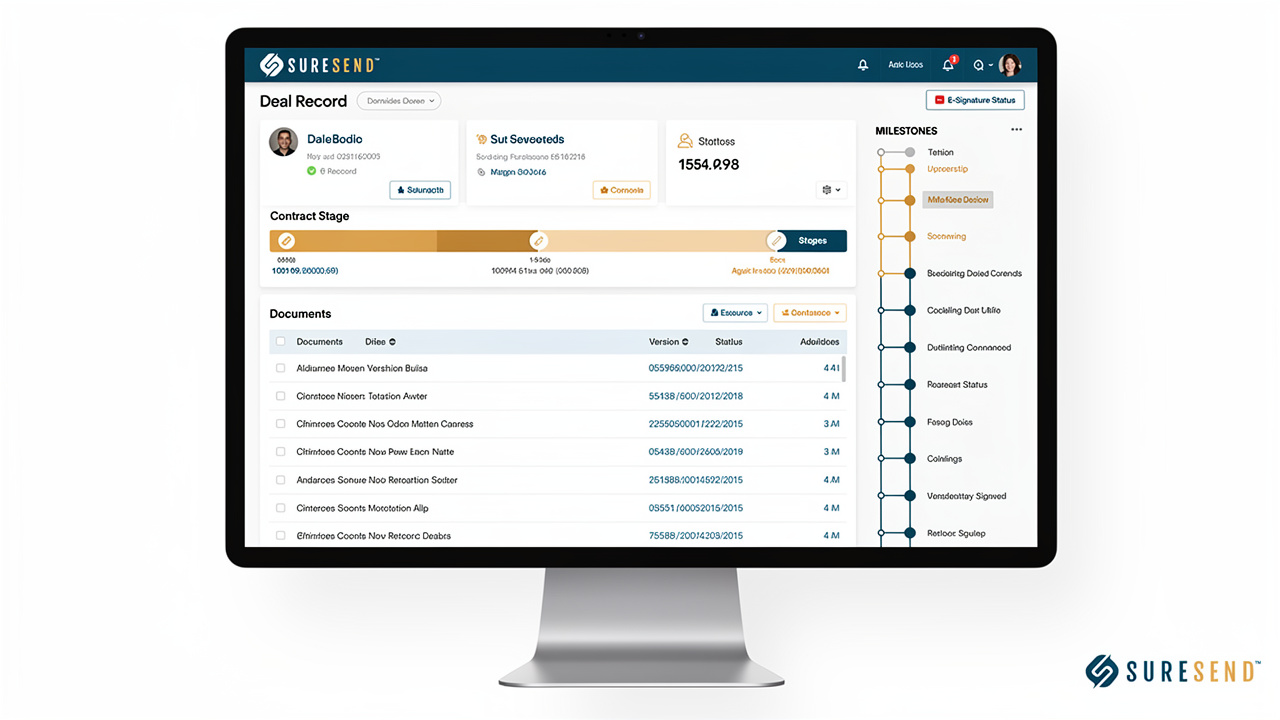
Sure Send approaches CRM with transaction management by keeping contact records, contract stages, and renewal dates inside the same pipeline board agents already use every day, instead of asking them to open a second application to see where a deal stands. Drag-and-drop pipeline boards show contract stage, renewal date, current deal value, and live opportunities side by side, with tasks tied to the milestones that matter so a closing date or a loan condition doesn’t slip through unnoticed.
Rather than building a closed system and hoping customers abandon the transaction and document tools they already trust, Sure Send connects to them directly, part of a broader library of 30-plus native integrations spanning transaction and document management platforms, e-signature tools, and real estate-specific software like real estate CRM IDX integration. This matters because direct, native connections pull live data instead of the stale, one-way snapshots that middleware-only setups tend to produce once an API changes on either end.
For teams that need to build something more specific, a full Open API, webhooks, and support for Model Context Protocol give developers a way to wire the platform into an vetted CRM partner marketplace rather than ripping that stack out and starting over. The idea behind this architecture is simple: a CRM with built-in transaction visibility shouldn’t force a business to give up the specialized tools it already relies on for contracts, e-signature, or compliance, and Sure Send’s open, integration-friendly approach is built around that rather than around locking a customer into one closed system.
How Sure Send Handles the Sales-to-Close Handoff
When a deal moves from a sales rep to post-sale or closing ownership, the notes, success criteria, and promised deal details logged in the platform stay attached to the account instead of disappearing into a rep’s personal files. Take Action Automation and trigger-based outreach pick up renewal reminders and follow-up email app from there, so nothing depends on someone remembering to check a calendar.
One customer had built a stack around a separate CRM plus several add-on tools to patch gaps, watched costs climb while adoption stayed flat, then consolidate sales marketing tools and cut roughly $39,000 a year in CRM-related spend without losing functionality the team actually used.
Top 10 CRM and Transaction Management Platforms Compared
Beyond Sure Send, ten more platforms shape the current CRM with transaction management space, each built around a different operating model, built-in, integration-friendly, or narrowly specialized for one job. Some prioritize enterprise-grade agreement orchestration, others focus entirely on real estate compliance, and a few are built for solo agents who just need something simple and affordable. The ten platforms below are grouped by the kind of team they fit best, with specific features and pricing signals rather than generic descriptions, so a sales manager or broker-owner can shortlist candidates before booking a single demo.
Docusign, AFrame, Dotloop, Brokermint, and Skyslope
This first group covers the enterprise-grade and real-estate-native platforms most likely to come up in a broker’s shortlist.
Docusign built its current offering around Intelligent Agreement Management and a workflow orchestration engine called Maestro, connecting CRM data, identity verification, and payment steps into one process. It fits enterprises needing deep cross-system workflow connections, with its eSignature plans and pricing starting at $11/month for a Personal plan and scaling to $45/month for Business Pro.
AFrame is a purpose-built T/CRM that merges contacts, listings, and contracts into one system with template-based workflows and client portals, making it a strong fit for brokerages that want a single unified tool instead of a CRM plus a separate transaction app.
Dotloop organizes a deal around a shared “loop” workspace where agents, clients, and coordinators collaborate in real time, with MLS connection reducing duplicate data entry. It suits teams that prioritize client-facing simplicity, at roughly $31.99 a month per user.
Brokermint pairs transaction management with back-office functions like commission automation and accounting sync, giving mid-to-large brokerages financial visibility that transaction-only tools can’t match on their own.
Skyslope puts compliance and audit review first, with customizable checklists brokers use to approve or reject files before a deal closes, built for brokerages that treat risk management as the top priority, with pricing that typically starts around $340 a month.
Juro, Lone Wolf Transact, ListedKit AI, Paperless Pipeline, and Rechat
The second group spans legal contract automation, high-volume agent tools, and budget-friendly options for smaller teams.
Juro runs on a browser-native contract editor built for legal and SaaS teams handling high volumes of standardized agreements like NDAs and MSAs, with internal commenting, external redlining, and integrations with Salesforce and Slack.
Lone Wolf Transact, formerly TransactionDesk, targets high-volume individual agents with cloud-based access and MLS integration, priced around $260 a year per user and sometimes bundled into an MLS membership.
ListedKit AI includes an AI assistant named Ava that reads incoming contracts and emails, matches them to the right deal, and extracts key dates automatically, integrating with Follow Up Boss, Gmail, and Outlook, starting at $14.99 per transaction intake.
Paperless Pipeline keeps things simple and affordable for solo agents and small teams, starting around $60 a month for five transactions, without the compliance depth larger brokerages typically need.
Rechat combines transaction updates with a chat-based communication layer so agents, clients, and coordinators stay in one thread, priced around $35 a month per user with a 10-agent minimum.
Which Approach Fits Your Team’s Size and Workflow?
The best way to match a team to one of the three architectures from earlier is to look honestly at deal volume, compliance exposure, and how attached the team already is to its current transaction tools. Solo agents and small teams closing a handful of deals a month often do just fine with transaction management built directly into the CRM, or with a low-cost dedicated tool like Paperless Pipeline running alongside it, since the simplicity outweighs any missing compliance depth.
CRM teams vs solo agents, on the other hand, usually get more value from a direct native integration that keeps both a specialized CRM and a specialized transaction or e-signature tool at full strength, without the manual syncing that middleware eventually demands. The deciding factor isn’t team size alone; it’s also how much regulatory and audit exposure a business carries, since a brokerage with broker-audit obligations has far less room for a platform that only half-covers compliance. A fast-growing SaaS company managing dozens of customer contracts a month faces a similar calculation, just with renewal dates and service-level terms standing in for closing dates and contingency periods.
Whichever model a team chooses, the test is the same: can a manager pull up one record and see the full picture, from first contact through signed contract, without opening a second tab?
Signs You’ve Outgrown Your Current Setup

A few concrete signs point to a setup that’s been outgrown rather than just imperfect. The clearest one is a transaction coordinator re-entering contact details the sales team already captured, because the two systems don’t talk to each other.
Closing or renewal dates tracked in a spreadsheet outside the CRM are another red flag, since spreadsheets don’t send reminders or update on their own. A CRM for sales managers who can’t pull a report showing pipeline activity and contract status together, or who can’t produce a clean audit trail when asked, is already paying the cost of a disconnected stack, even if it hasn’t shown up on an invoice yet.
The Takeaway
The architecture a CRM with transaction management runs on, built-in, natively integrated, or middleware-connected, matters more than any single feature on a vendor’s slide deck, because that architecture decides whether contacts, contracts, and deadlines actually live in one trustworthy record. The ten-point checklist covered here, contacts through data portability, gives a sales manager or broker-owner a concrete way to test that claim in a live demo instead of taking a sales rep’s word for it.
Sure Send’s approach, transaction visibility built into the pipeline board plus direct integrations with the transaction and e-signature tools a team already trusts, is built for businesses that want that continuity without being forced to rip out working software. Before the next contract renewal comes up, run the current setup through the checklist and see how many boxes it actually checks.
Frequently Asked Questions
Does a CRM with transaction management replace dedicated transaction coordination software?
Not always. Built-in transaction features inside a CRM cover basic contract-to-close needs well for smaller teams, but brokerages with heavy compliance requirements often still want a dedicated, integrated transaction tool running alongside the CRM rather than replacing it, connected through a direct integration instead of middleware.
How does CRM with DocuSign integration actually work day-to-day?
A document gets sent for signature from inside, or directly linked to, the CRM record, so nobody has to open a separate signing platform to start the process. Once signed, the status updates automatically sync back to that same record, removing the need for manual status checks.
What’s the real cost difference between an all-in-one platform and connected best-of-breed tools?
An all-in-one platform usually costs less on the subscription line but can require workarounds for gaps in its transaction features. Connected best-of-breed tools cost more per seat but often save more in admin hours. The honest comparison is total cost of ownership, not the sticker price alone.
Can I switch transaction management tools without losing my CRM data?
It depends on data portability. A platform with an open API, webhooks, and exportable audit history makes migrate from Follow Up Boss, while a closed system with no export options can turn a tool change into a months-long data recovery project.
Do I need separate permissions for agents vs. transaction coordinators?
Yes. Role-based permissions let a transaction coordinator update closing dates and documents without seeing commission math meant only for ownership, while still keeping a broker’s oversight of every file intact across the whole pipeline.
How much does poor CRM data actually cost a brokerage?
Research on CRM statistics finds that 44% of companies lose more than 10% of yearly revenue to bad CRM data, often caused by a lack of visibility at handoffs between sales and transaction teams rather than a lack of effort.