
Real Estate Reactivation Scripts: Turn Dead Leads into Deals
Your CRM is probably holding thousands of dollars in commissions you’ve already paid to find, sitting quiet under contacts you stopped calling months ago. Most agents know this, yet they freeze the moment it’s time to write the first message back to someone who went cold.
Real estate database reactivation scripts are the pre-built text, email, and call templates agents use to restart conversations with dormant leads and past clients who already raised their hand once before. A strong reactivation email template needs five things: a personal introduction, a reference to the original inquiry, a low-friction question, one piece of fresh market value, and an easy, pressure-free way out. This guide gives you that full script library, organized by audience and channel, plus the segmentation, compliance, and automation framework that keeps every message on target and on the right side of the law. Keep reading for the exact words to send on your next dormant-lead outreach.
Key Takeaways
Dormant leads convert into booked appointments at 4.4% to 8.9% when reactivated with the right script and segment, a far cheaper path than buying new leads from an outside source.
Reactivation scripts should match lead age, source, and last engagement, not get blasted as one message to an entire database.
Every strong message needs five parts: a personal introduction, context from the original inquiry, one low-friction question, a piece of fresh value, and an easy out.
Compliance, including TCPA rules, documented consent, and working opt-outs, determines whether a script can legally go out at all.
Automation speeds up segmentation and sequencing, but judgment about tone, consent, and relationships still belongs to the agent.
Who’s in Your Dead Lead Pile? Segmenting Before You Script
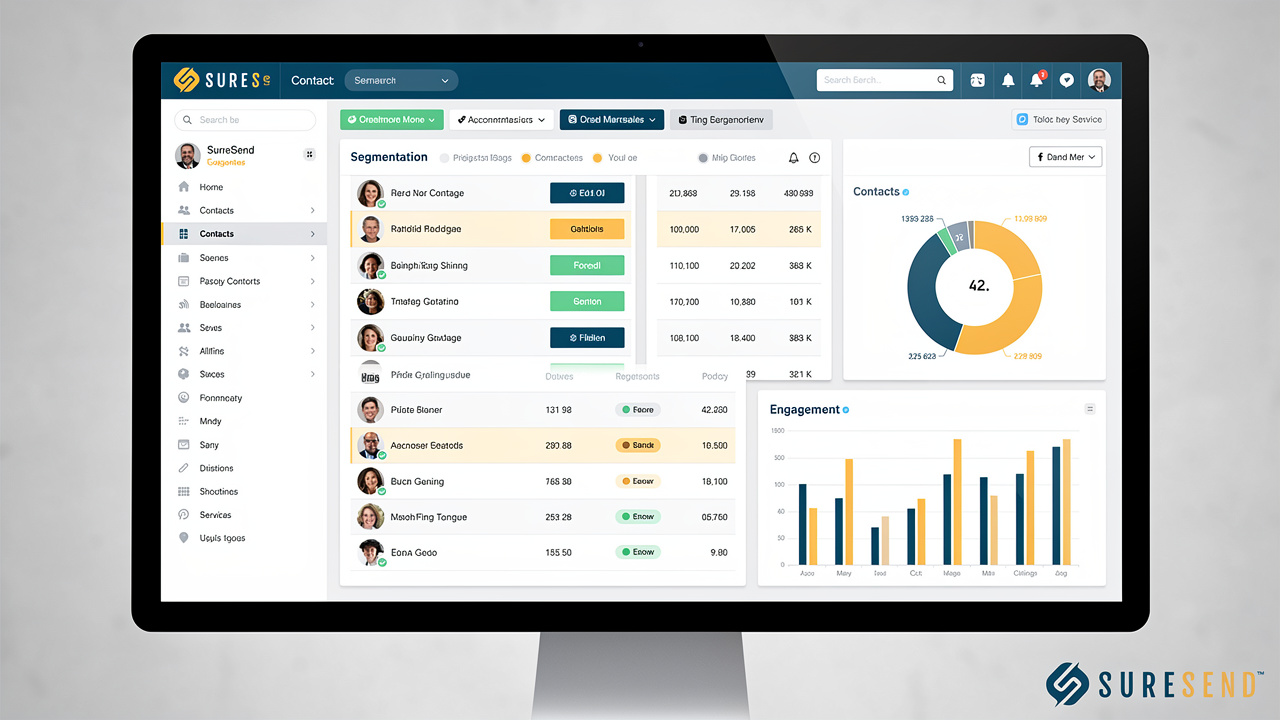
A dormant real estate database usually breaks into four groups: past clients, unconverted buyers and sellers, expired or withdrawn listings, and long-term nurture leads pulled from webinars or downloads. Each group needs database segmentation, because a past client who closed with you eighteen months ago deserves a different opening line than a buyer who filled out a form and disappeared.
Lead age matters almost as much as lead type:
Under six months old: Contacts still remember you, so scripts can pick up mid-conversation with no reintroduction needed.
Six to eighteen months: Contacts need a short reminder of who you are and why you originally spoke.
Past eighteen months, especially past three years: Leads need a softer reintroduction plus a reason the timing matters again today, such as a rate change or a jump in local home values.
Layer in last engagement, too: a lead who opened your email six weeks ago is warmer than one who’s been silent since last year, even if both entered your CRM on the same date.
Matching Script Tone to Contact History
Fresh leads under six months old respond well to an assumptive, picking-up-where-we-left-off tone, since the conversation never really ended in their mind. You can skip the full reintroduction and jump straight to the question that matters, like whether their plans have changed since you last spoke. Aged leads, those sitting past eighteen months, need the opposite approach. Assume they’ve forgotten the details and reintroduce yourself before asking anything at all.
Past clients sit in a category of their own. Because you already closed a transaction together, you can reference that sale directly and use a market shift as the reason you’re reaching out now. A line reminding them their neighborhood’s values moved since their closing date works better than a generic check-in, because it ties the message to something concrete they already lived through.
Text Message Scripts to Restart the Conversation
Reactivation text message scripts are short, single-question messages built to restart a conversation, not close a deal, which is why SMS works best works best as the first touch in nearly every sequence. Text messages get opened within minutes for most dormant contacts, far faster than email, so they’re the right channel when you want to know quickly whether a lead is still in play. A good reactivation text names you, references the original conversation, asks one easy question, and leaves an obvious, low-pressure exit if the timing’s wrong. Keep every message short enough to read in one glance on a phone screen, and resist the urge to explain market conditions in detail here. That level of context belongs in the email or call that follows, not in the opening text.
Reactivation Text Scripts by Contact Type
Each contact type calls for a slightly different reactivation text, built around what you already know about their original inquiry. The wording below works as a starting template; swap in the real details from their record before sending, since a script with no personal reference reads like every other mass text a dormant lead has already learned to ignore.
Past client: “Hi [First Name], it’s [Your Name] with [Brokerage]. Homes in your old neighborhood have moved quite a bit since we closed on yours. Want me to send a quick update on what it’s worth today? No worries if now’s not the time.”
Unconverted buyer: “Hi [First Name], it’s [Your Name]. We talked about your home search a while back. Rates have shifted and some new listings fit what you wanted. Still looking, or has the plan changed?”
Seller who didn’t list: “Hi [First Name], it’s [Your Name] from [Brokerage]. You got a valuation on your place a while back. The numbers have moved since then, in your favor. Want the updated figure?”
Expired listing: “Hi [First Name], this is [Your Name]. I saw your listing came off the market. No pressure at all, just wanted to check if you’re still open to selling, or if the timing changed.”
Notice that none of these scripts include a link or ask for a phone call outright. The goal is simply a reply, because every extra step you ask for in that first text lowers the odds someone responds at all.
Reading the Reply and Triggering Next Steps
What a contact sends back should decide your very next move, not how you feel about the lead that day. A reply like “yes” or “still interested” should move the conversation to a call or a booking link within minutes, while the lead is still thinking about you.
A soft no, something like “not right now,” isn’t a dead end. Tag that contact for your next quarterly cycle instead of deleting the record, since circumstances change and today’s no often becomes next year’s yes. Anything that reads as “stop” or an opt-out request needs immediate suppression across every channel you use for that contact, not just the one where the reply arrived, since continuing to text or email after an opt-out creates real compliance exposure.
Cold Lead Email Templates That Don’t Feel Like Spam

Cold lead email gives you room templates for agents work best in the middle of a reactivation sequence, after a text has already confirmed someone’s reachable, because email gives you room to add real market context a text message can’t hold. The strongest templates still follow the same five-part structure as a text: a personal introduction, a reference to the original inquiry, one clear question, a piece of fresh value, and a soft way out. Where email differs is formatting. Keep paragraphs to two or three sentences, use one call to action per message, and skip the multi-column, image-heavy layouts that look fine on a desktop but turn into a mess on the phone screen where most of these emails actually get read.
Email Scripts by Situation
The templates below match the three most common reactivation situations. Each one pairs a short, specific subject line with a body built around a single idea, so adjust the bracketed details before sending.
Past sellers or clients. Subject: “Your old neighborhood’s numbers changed.” Body: “Hi [First Name], I was reviewing recent sales near your old place and the numbers have shifted quite a bit since we closed. If you’re curious what that means for your situation today, happy to send a quick update, no cost, no obligation. Just reply and let me know.”
Unconverted buyers. Subject: “New listings matching what you wanted.” Body: “Hi [First Name], a few properties just hit the market that match what you described during your search last year. Rates have also shifted since we last talked, which changes the math a bit. Want me to send the list over?”
Landlord or property-management leads. Subject: “Thinking about that rental property again?” Body: “Hi [First Name], you mentioned managing, or maybe selling, your rental a while back. Between rent trends and equity changes in your area, the numbers look different now. Worth a quick conversation?”
Notice each subject line names something specific, never a generic “checking in,” because specificity is what gets a cold inbox lead to open the message in the first place.
Writing Subject Lines That Get Opened
Re-engagement subject lines need to do one job: survive the truncation that happens on a phone screen. Most mobile inboxes cut cut subject lines off around 40 to 45 characters, so anything longer gets chopped before the recipient even opens the message. Specifics beat vague phrases every time. A line referencing a neighborhood, a property type, or the actual time gap since you last spoke outperforms a generic “checking in” or “following up,” because it signals the message is actually about them.
A few patterns consistently perform well across segments:
“Your [Neighborhood] home value just moved” works for past clients and sellers.
“New listings near [Area] just dropped” works for unconverted buyers.
“Is [Address] still on your mind?” works for anyone tied to a specific property in their record.
Each one names something real instead of asking for attention with no context attached.
Voicemail Scripts and Call Openers for Old Leads

Voicemail scripts for old leads need to do their work in under 20 seconds, because that’s roughly how long most people give an unfamiliar voicemail before deleting it. State your name, your business, one reason you’re calling, and one simple next step, in that order, then stop talking. Live calls that connect after a long silence need a different opening than a first-time cold call, because pretending no time has passed feels strange to the person on the other end. Acknowledge the gap directly, reference the original conversation, and move quickly toward a real question instead of small talk.
Voicemail Scripts You Can Leave Today
Both scripts below follow the same four-part rule, name, business, reason, ask, and run under 20 seconds when read at a normal pace.
Past client: “Hi [First Name], it’s [Your Name] with [Brokerage]. Quick call because home values in your neighborhood have jumped since we closed. Give me a call back when you get a chance, or just text me, whichever’s easier.”
Unconverted lead: “Hi [First Name], this is [Your Name]. We spoke a while back about your search. Some new inventory just came up that matches what you wanted, and I wanted to flag it before it’s gone. Call or text me back.”
Read each one out loud before you record it. If it sounds stiff or scripted to your own ear, it’ll sound exactly the same way to the person hearing it.
Opening Lines for Live Calls After Silence
The first ten seconds of a reactivation call decide whether the person stays on the line. Open with something like, “it’s been a while, I wanted to see if anything’s changed on your end as the market is changing now,” which acknowledges the gap instead of pretending it isn’t there. Follow immediately with a specific reference to their original inquiry, since that’s what proves you remember them and aren’t working from a random list.
Once they confirm they remember you and answer your first question, move straight toward scheduling instead of circling back to small talk. A line like, “would it make sense to grab 15 minutes this week to look at what’s changed,” turns a “still interested” reply into an actual appointment on your calendar before the moment cools off.
What Compliance Rules Apply to Reactivation Scripts?
Every reactivation script above needs to clear a compliance bar before it goes out, because the rules governing texts, emails, and calls to old contacts differ by channel and by how recently that contact engaged with you. In the United States, the Telephone Consumer Protection Act, known as the TCPA, governs text messages and calls, while the CAN-SPAM Act sets the baseline rules for marketing email. An old inquiry from years back isn’t automatic permission to text or call someone today, especially once that relationship has gone cold. Purchased lists, or any segment where you can’t point to documented consent, should be left alone entirely rather than messaged on a guess.
If you can’t show where consent came from, don’t send the script until you can.
Consent, Opt-Out, and Do Not Call Checklist
Run through this short list before any reactivation sequence goes live, not after the replies start coming in.
Confirm you can point to documented consent for this specific contact and this specific channel, not just a general sense that they once seemed interested.
Include a working unsubscribe link on every email and “reply STOP to opt out” language on every text, and honor that opt-out immediately across every channel the contact is on.
Screen phone numbers against the national Do Not Call registry before launching any voice or ringless voicemail campaign, since calling numbers on that list carries real financial penalties.
Review Sure Send’s TCPA compliance guide and consent documentation resources for a deeper walkthrough of these requirements before you build your first sequence.
None of this replaces legal advice specific to your market, but it covers the baseline most agents skip when they’re in a hurry to send something.
How Do You Personalize a Script Without Starting From Scratch?
Personalizing a real estate database reactivation script means swapping in two or three real details from the contact’s history, not rewriting the whole message from the ground up. The details that actually move response rates are the original inquiry topic, the property address or neighborhood, the approximate time since last contact, and roughly where their budget sat. Reference one of these, maybe two, and stop there. Piling on every detail you have access to, their job, their kids’ school, their exact former address, tips over from attentive into unsettling, and makes the message feel more like surveillance than service.
Personalization Checklist Before You Hit Send
Before any script goes out, confirm three things:
That you’re referencing their actual original interaction and not a guess your CRM pulled from an outdated field.
That your tone matches their engagement level, assumptive for someone who opened your last three emails, softer for someone who hasn’t engaged in over a year.
That you’ve used their first name plus exactly one concrete detail, nothing more.
A script with their name, one specific reference, and a clear question outperforms one stuffed with every data point your CRM has on file, because restraint reads as thoughtful while over-personalization reads as unsettling.
How Automation Helps You Deploy Scripts at Scale

Automation handles the repetitive parts of reactivation, building the segment, timing the sends, and tracking who replied, so scripts actually go out instead of sitting in a drafts folder. A plain-language request like “show me everyone I haven’t talked to in 30 days” can build a live segment in seconds, replacing the manual list-building that used to eat an entire afternoon before a single message was sent. Drip sequences then carry a script across its planned touches automatically, and AI-generated summaries give a rep the contact’s history before they ever pick up the phone. None of that replaces judgment, though. A person still decides whether consent exists, whether the tone fits the relationship, and whether a reply deserves a phone call instead of another automated text.
Where Sure Send Fits Into Your Reactivation Workflow
Sure Send operationalizes the segmentation and sequencing covered throughout this guide. Its Take Action Automation surfaces which dormant contacts need outreach today based on engagement and timing, not a random or alphabetical list, and its natural-language Smart Lists let a rep build a “haven’t talked in 30 days” segment instantly, matching the exact audience categories this guide walks through.
Before a rep ever dials a reactivated lead, AI-generated contact summaries pull in prior call history and notes, so no script goes out without context. The Winning Formula then assigns a real dollar value touch, based on the rep’s own six-month conversion history rather than an industry average, which helps a team decide which dead leads to call first.
How Do You Know If a Reactivation Script Is Working?
A working reactivation script produces three measurable signals:
a reply rate,
a positive reply rate among those replies, and
a booked appointment rate against the full list.
Industry data on database reactivation campaigns puts typical reply rates between 8% and 15% across a well-segmented dormant list, with booked appointment rates landing between 4.4% and 8.9% when scripts, segmentation, and timing all line up, a pattern consistent with broader behavioral segmentation email benchmarks showing measurable engagement and revenue lift from targeted outreach.
When a segment underperforms, the fix usually matches one of three patterns:
A weak open rate, below roughly 5% on email or 8% on text, points to a list hygiene problem, the same issue highlighted in guidance on reactivating inactive subscribers, which identifies stale contacts as the main drag on sender reputation and open performance.
Good opens paired with few replies usually means the script itself needs rework instead.
Good reply rates that never turn into booked appointments point to a follow-up speed problem, since interest in a reactivated lead cools within minutes, not hours.
Fix whichever layer is actually broken before writing a brand new script; often the words were fine and the response time was the real issue.
The Takeaway
Scripts alone never reactivate a database. The real estate database reactivation scripts in this guide only work once they’re matched to the right segment, sent on the right channel, and cleared against consent and opt-out rules, because the same message that lands well with a past client can fall flat, or create a compliance problem, when sent to a three-year-old unconverted lead.
Start with your warmest segment, recent past clients and buyers who engaged within the last six months, and use those early replies to build confidence before working through colder contacts, an approach similar to the win-back engine playbook used by DTC brands that prioritizes the most recently lapsed customers before tackling the coldest tiers. Whether you run that segmentation by hand or through a platform like Sure Send, the sequence stays the same: build the list first, match the script to the audience, then send.
Frequently Asked Questions
How Long Should I Wait Before Giving Up on a Dormant Lead?
Response rates drop sharply after three years, but high-intent sources like old valuation requests or expired listings can still convert even then. Rather than deleting non-responders, tag them for your next quarterly reactivation cycle, since circumstances and timing change more than interest does.
Can I Text Old Leads Without Their Explicit Permission?
Texting carries its own rules under the TCPA, separate from email regulations, and inferred consent from an old transaction weakens the longer a relationship sits cold. Document the consent basis for each segment before texting, or exclude any segment where that consent can’t be shown.
What’s the Best Time of Day to Send Reactivation Texts or Emails?
Late morning through early afternoon, in the recipient’s own time zone, consistently performs best. Early morning or late evening sends read as spam regardless of how good the message is, so hold every send until standard business hours.
Should Past Clients and Unconverted Leads Get the Same Script?
No. Past clients already have a relationship with you, so scripts can reference the closed transaction directly and use an assumptive tone. Unconverted leads need a reminder of who you are and why you originally spoke before you ask anything else.
How Many Touches Should a Reactivation Sequence Include Before Stopping?
Most effective sequences run three to five touches across 10 to 14 days, mixing text, email, and a call or voicemail. Pushing further without any reply raises opt-out risk and rarely produces better results than tagging the contact for a later cycle.
What Should I Do if a Lead Replies but Says Not Right Now?
Tag that contact as warm for the future rather than marking them dead, and move them into your next quarterly cycle. A lighter, value-only follow-up, like a market update with no direct ask, tends to work better than repeating the same request too soon.