HubSpot CRM System: Smart CRM, Hubs, and How It Really Works
HubSpot CRM is a cloud-based platform for managing customer relationships across marketing, sales, and service functions. The platform, rebranded as Smart CRM around late 2025, acts as a unified database that connects every team in a company to the same contact records, deal data, and interaction history. Businesses searching for “HubSpot CRM system” in 2025 and 2026 are typically trying to understand how Smart CRM, Data Hub, and the broader ecosystem of HubSpot hubs fit together.
HubSpot CRM is free and includes contact management tools, deal tracking, and basic reporting. The platform is designed for small to mid-sized businesses looking for customer relationship management software that covers marketing sales and service without requiring separate tools for each function. Paid plans layer on Marketing Hub, Sales Hub, Service Hub, Content Hub, and Data Hub for teams that need deeper automation, analytics, and customization.
The global CRM market is estimated to reach over $145 billion by 2029, and businesses using CRM report 29% higher sales revenue. Those numbers explain why so many teams evaluate HubSpot. It is widely adopted across B2B and B2C by companies that want an all in one platform for managing customer relationships and tracking business operations.
We publish this article as Sure Send, an AI-native CRM that competes directly with HubSpot. Teams often come to us after outgrowing HubSpot’s email deliverability, automation capabilities, or data ownership model. This article focuses on explaining HubSpot honestly so you can make a clear-eyed decision.

What Is HubSpot CRM Used For?
On a daily basis, teams use HubSpot CRM for contact management, email outreach, sales pipeline management, marketing automation, and customer service ticketing. HubSpot CRM automatically logs every customer interaction in one place, including emails, calls, form submissions, website visits, and meeting bookings. This means a sales rep can open a contact record and see the full customer journey without asking a colleague or checking a second system.
HubSpot CRM can save sales reps 5-10 hours weekly by automating repetitive follow-ups, data entry, and task assignments. Users report saving 5-10 hours per week with HubSpot’s automation across marketing, sales, and service workflows. HubSpot enables better visibility into sales opportunities with a centralized customer timeline, and it facilitates customer interactions through a shared inbox and communication tracking tools.
Consider a 10-person SaaS sales team. Leads arrive via a web form, get auto-assigned to reps, and move through deal stages: prospect, demo, proposal, closed-won. Every email, call, and meeting is logged on the contact record. A B2B services agency might use the same system differently: attaching onboarding calls, marketing touchpoints, and support tickets to a single client timeline so any team member can pick up the thread.
Everyday use cases include:
- Lead capture through forms, landing pages, and ad integrations that push contacts into the CRM automatically, reducing manual data entry.
- Lead nurturing via email marketing workflows, list segmentation, and lifecycle stage transitions that move qualified leads to sales.
- Deal tracking across customizable pipelines with stage-by-stage forecasting for revenue teams.
- Renewals and upsells by monitoring existing customer status and triggering outreach when contracts approach expiration.
- Customer support with ticketing, shared inbox, feedback surveys (CSAT, NPS), and knowledge base tools.
- Reporting on sales performance, marketing ROI, and service data across dashboards built on unified data.
How HubSpot Smart CRM Works at the Core
HubSpot’s Smart CRM is the underlying database architecture. It stores standard objects (contacts, companies, deals, tickets) plus custom objects, and it tracks every property, activity, and association between records. This is HubSpot’s single source of truth for customer data.
Every tool in HubSpot pulls from this core. Email sequences, automated workflows, reports, dashboards, and AI features like Breeze agents all read and write to the same database. When a marketing email gets opened, the contact record updates. When a deal moves to “closed-won,” a workflow can trigger an onboarding sequence. Automation in HubSpot CRM helps handle repetitive tasks without code, which is what makes the system practical for teams without dedicated developers.
Around late 2025, HubSpot made Smart CRM available as a more standalone product with its own Starter, Professional, and Enterprise tiers, separate from the Hub-specific pricing. This gave teams more flexibility to pay for the CRM layer they need without buying a full Hub upfront.
User permissions, team structures, and multiple pipelines sit on top of the Smart CRM core. Professional and Enterprise tiers unlock field-level permissions, custom objects, and more complex record association limits. Free accounts are limited to 2 users and 1,000 contacts in the marketing tools, though HubSpot’s free CRM includes unlimited contact storage for the CRM database itself.

Overview of HubSpot Hubs (Marketing, Sales, Service, Content, Data)
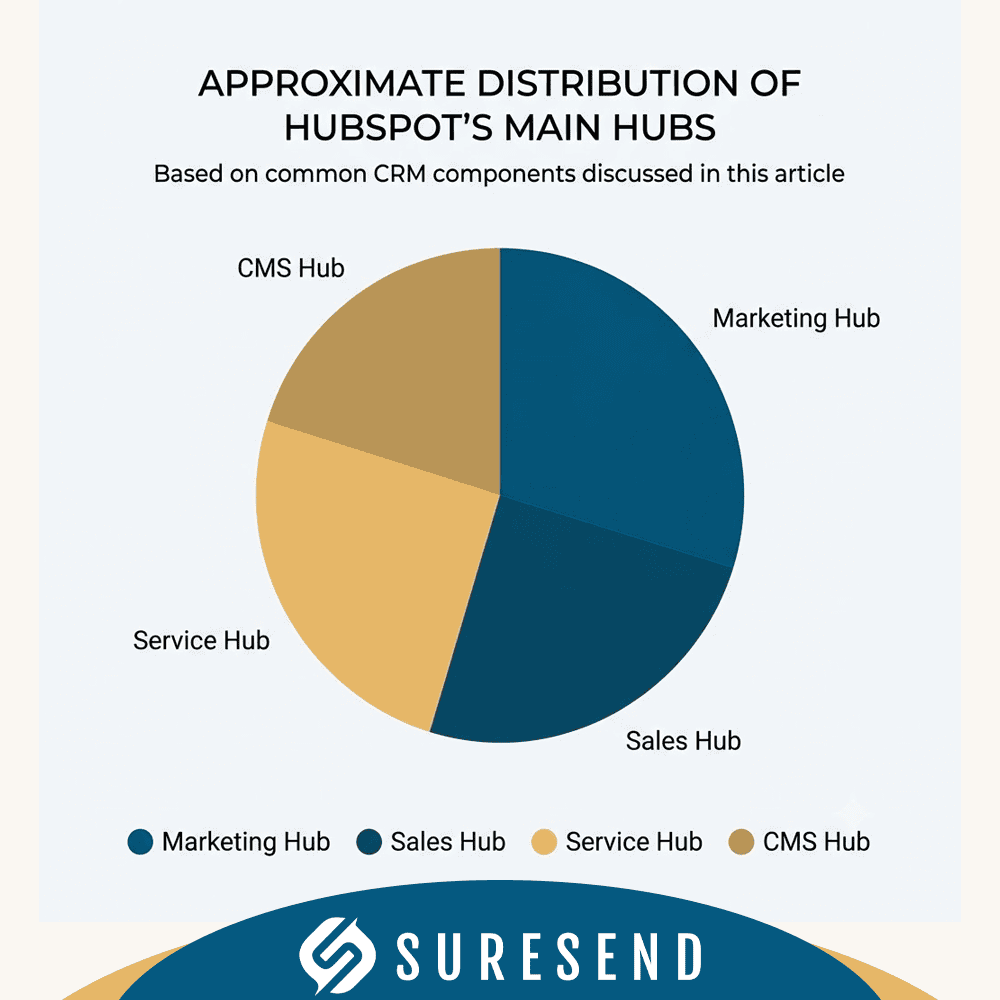
When people say “HubSpot CRM system,” they usually mean Smart CRM plus one or more Hubs. Paid plans include Marketing, Sales, and Service Hubs, along with Content Hub and Data Hub. Each Hub adds specialized tools for a specific function, all reading from and writing to the same CRM database. HubSpot integrates marketing, sales, and service tools on one platform, which is the core selling point over stitching together disconnected tools.
Businesses typically start with the free CRM and add a single Hub as the team grows. A marketing team might add Marketing Hub first. A sales team running outbound sequences might start with Sales Hub. Service teams handling ticket volume add Service Hub. The idea is modular expansion without switching platforms.
Which roles use which Hubs:
- Marketers work in Marketing Hub and Content Hub for campaigns, landing pages, and content creation.
- Sales reps, SDRs, and AEs live in Sales Hub for pipeline management, sequences, and calling.
- Customer service teams use Service Hub for ticketing, SLAs, and feedback collection.
- RevOps and data teams rely on Data Hub for syncing external sources, cleaning CRM data, and maintaining data quality.
Marketing Hub: From Lead Generation to Nurture
Marketing Hub connects directly to Smart CRM to run the full lead generation and nurture cycle. HubSpot provides marketing automation features like lead capture and email marketing, and it provides reporting and analytics for sales performance and marketing ROI. Marketing teams use this Hub to attract visitors, convert them into contacts, and warm them for sales handoff.
Core capabilities:
- Email marketing with templated or custom designs, A/B testing, and send optimization.
- Landing pages and forms that feed directly into Smart CRM contact records without third-party plugins.
- List segmentation based on contact properties, behavior, lifecycle stage, or custom criteria.
- Marketing automation workflows for multi-step nurture sequences, internal notifications, and property updates.
- Attribution reporting that ties revenue back to channels, ads, and content. Teams often combine this with Google Analytics data to measure digital marketing performance across the funnel.
- Predictive lead scoring (Professional and Enterprise tiers) that ranks contacts based on fit and engagement signals. For a deeper look at how AI-powered scoring works across platforms, see our 2026 AI Lead Scoring Guide.
Concrete example: a B2B company publishes a gated ebook. Marketing Hub captures form submissions, adds contacts to a nurture list, and sends a 5-email drip campaign over 14 days. Contacts who open 3+ emails and visit the pricing page get scored as qualified leads. A workflow changes their lifecycle stage to MQL and notifies the assigned sales rep.
Many marketing teams start with Marketing Hub Starter or Professional layered on the free CRM, then expand as they need advanced features like journey automation, lookalike lists, or multi-touch attribution.
Sales Hub: CRM Software for Pipeline and Revenue Teams
Sales Hub is HubSpot’s layer for managing the sales process end-to-end. SDRs, AEs, and account managers use it for sales pipeline management, forecasting, and daily activity tracking. Businesses should implement CRM before managing over 10 deals; Sales Hub is where HubSpot makes that case.
Tools and workflows:
- Customizable pipelines with configurable deal stages. Starter plans allow multiple pipelines; the free tier limits you to one.
- Sequences for outbound email cadences that automatically send follow-ups on a schedule.
- Built-in calling with logged call records and, in higher tiers, recorded calls. Call minutes vary by plan.
- Meeting scheduling links that sync with Google Calendar or Outlook and auto-create contact records.
- Forecasting dashboards that aggregate deal values by stage, owner, and close date.
- Quotes and e-signatures in Professional and Enterprise tiers.
Example workflow: an AE receives an MQL notification. She sends a personalized sequence of 3 emails over a week. The prospect books a demo via meeting link. After the call, the deal moves from “discovery” to “proposal.” When the prospect signs a quote, the deal flips to “closed-won,” which triggers an onboarding workflow.
Compared with dialer-focused CRM solutions, Sales Hub is solid for email-based selling and pipeline tracking but lighter on call coaching and per-conversation analytics. Sure Send, for instance, includes a built-in dialer with call transcription and calculates a dollar value for every call based on the rep’s own conversion history. For teams where phone-based outreach drives revenue, that difference matters. See our guide on the best CRM for sales team accountability for a deeper comparison of sales performance tools.
Service Hub: Customer Service Tools Inside the CRM
Service Hub gives customer service teams a set of service tools built on the same CRM database that marketing and sales use. HubSpot offers ticket management and feedback tracking for customer support, so reps see the full contact history before responding.
Core components:
- Shared inbox aggregating email, live chat, and form submissions into one queue for support reps.
- Ticketing system with auto-assignment rules, priority levels, and SLA tracking (Professional tier and above).
- Customer feedback via NPS and CSAT surveys sent after ticket resolution or at scheduled intervals, driving improved customer satisfaction.
- Knowledge base for self-service content that deflects common support questions.
- AI-augmented features like Breeze agents that suggest replies, auto-tag tickets, and handle routine inquiries. Heavy usage of AI agents may consume HubSpot Credits on certain plans.
Example: a SaaS support team receives tickets from email and chat. Tickets auto-assign to the appropriate queue based on product area. The rep sees the customer’s deal history, marketing engagement, and previous tickets on one timeline. After resolution, a CSAT survey fires automatically. Leadership reviews resolution time dashboards weekly to track customer satisfaction trends.
HubSpot Content Hub: Website and Content Connected to CRM
HubSpot Content Hub is the CMS layer that powers websites, blogs, and landing pages with a direct connection to Smart CRM. Unlike a traditional CMS where you bolt on plugins for forms, popups, and analytics, Content Hub bakes those functions into the platform.
Key advantages over standalone CMS tools:
- CRM-connected forms that create or update contact records on submission without third-party connectors.
- Personalization using contact properties: a returning visitor in the “customer” lifecycle stage sees different messaging than a first-time visitor.
- Native A/B testing on pages, CTAs, and emails without extra tooling.
- AI content tools released around 2024-2025, including AI Blog Writer and Content Remix, which help marketing teams repurpose content across formats.
Practical scenarios:
- A marketing team rebuilds the corporate site on Content Hub to centralize lead capture and reporting in HubSpot instead of relying only on Google Analytics and WordPress plugins.
- A resource center for gated downloads where every download auto-enrolls the contact in a nurture workflow.
- A blog integrated with marketing efforts so each post includes CTAs that feed directly into the sales pipeline.
- Localized pages for different markets, with content varying by visitor geography or language preference.
Data Hub: HubSpot’s Data and Integration Layer
Data Hub replaced Operations Hub as HubSpot’s data unification layer. It connects structured data (CRM objects), unstructured data (conversations, PDFs), and external data (databases, spreadsheets, warehouses) into one system.
Core capabilities:
- Data sync between HubSpot and external apps like billing platforms, product analytics tools, and support systems.
- Data quality automation that detects duplicates, fills missing fields, standardizes formatting, and flags dirty data before it corrupts reporting. Regular data audits should be scheduled quarterly to catch issues that automated tools miss.
- Data Studio for connecting external sources, processing large record volumes, and using AI to suggest relationships between datasets.
- Enrichment features that pull company and contact data from third-party sources to fill gaps in CRM records.
Data Hub is not a full enterprise CDP, but it covers many integration and cleanup use cases that previously required third-party ETL tools. For teams that need even more control over data portability, Sure Send supports open ecosystems and Model Context Protocol, which allows direct interoperability between CRM data and external AI agents or analytics tools without vendor lock-in. For a broader look at consolidating sales and marketing tools into one platform, we published a dedicated guide.
Key CRM Features in HubSpot: From Free Tools to Advanced Features
Buyers evaluating a HubSpot CRM system typically focus on six feature categories. Here is what each includes and where it sits in the pricing tiers:
- Contact management: available in the free CRM. Import, segment, and search contacts; track website activity and form submissions. HubSpot CRM has a user-friendly interface that promotes ease of use, and its intuitive interface is designed to minimize the need for technical training.
- Deals and pipelines: one pipeline free; multiple pipelines in Starter and above. Custom deal stages, weighted pipeline forecasting in Professional.
- Tasks and activity tracking: HubSpot allows for activity tracking including calls and emails. Task queues and reminders available across tiers.
- Email tools: 1-to-1 email in free; bulk email marketing in Starter; advanced send optimization and A/B testing in Professional.
- Automated workflows: limited to single actions in free; multi-step automation in Professional and Enterprise. Automated processes eliminate repetitive follow-ups and administrative tasks.
- Reporting and dashboards: HubSpot provides customizable reporting tools for data-driven decisions. Basic dashboards free; custom reports and advanced features like revenue attribution in Professional and Enterprise.
- Customer service tools: basic shared inbox free; full ticketing, SLAs, and knowledge base in Service Hub paid tiers.
- Predictive lead scoring and custom objects: Enterprise tier only.
Advanced tools like field-level permissions, advanced permissions controls, and multiple currency support live in Professional and Enterprise. The jump from free to Starter unlocks practical essentials; the jump from Starter to Professional unlocks the automation and analytics most growing teams need.
Free HubSpot CRM: What You Actually Get
HubSpot CRM is permanently free with core features. Unlike many competitors that offer 14-day trials, HubSpot CRM is permanently free, which makes it a viable starting point for teams not ready to commit budget. Here is what the free CRM actually includes as of 2025-2026:
- Up to 2 users
- Unlimited contact storage in the CRM database (marketing tools cap at 1,000 contacts)
- One deal pipeline with customizable stages
- Contact management with property tracking and website activity
- Basic email tools (1-to-1 email, limited templates and snippets)
- Live chat with HubSpot branding
- Shared inbox with basic functionality
- Simple reporting dashboards
- Forms for lead capture on your website
Common triggers that push teams from free to paid: hitting email send limits, needing multi-step automated workflows, requiring custom reporting beyond the basic dashboards, needing to remove HubSpot branding from chat widgets, or adding more than 2 users.
A realistic scenario: a team of 3-5 people runs the free CRM plus Sales Hub Starter for 6-12 months. They track contacts, manage one pipeline, and send basic email campaigns. Once lead volume grows to the point where they need list segmentation, scoring, and multi-step automation, they upgrade to Professional.
For teams that need advanced automation, a built-in dialer, or domain-specific workflows from day one, starting on a paid CRM like Sure Send or another alternative can be more cost-effective than growing into HubSpot’s paid tiers. Compare options in our CRM pricing comparison.
HubSpot CRM Pricing and Plans Overview
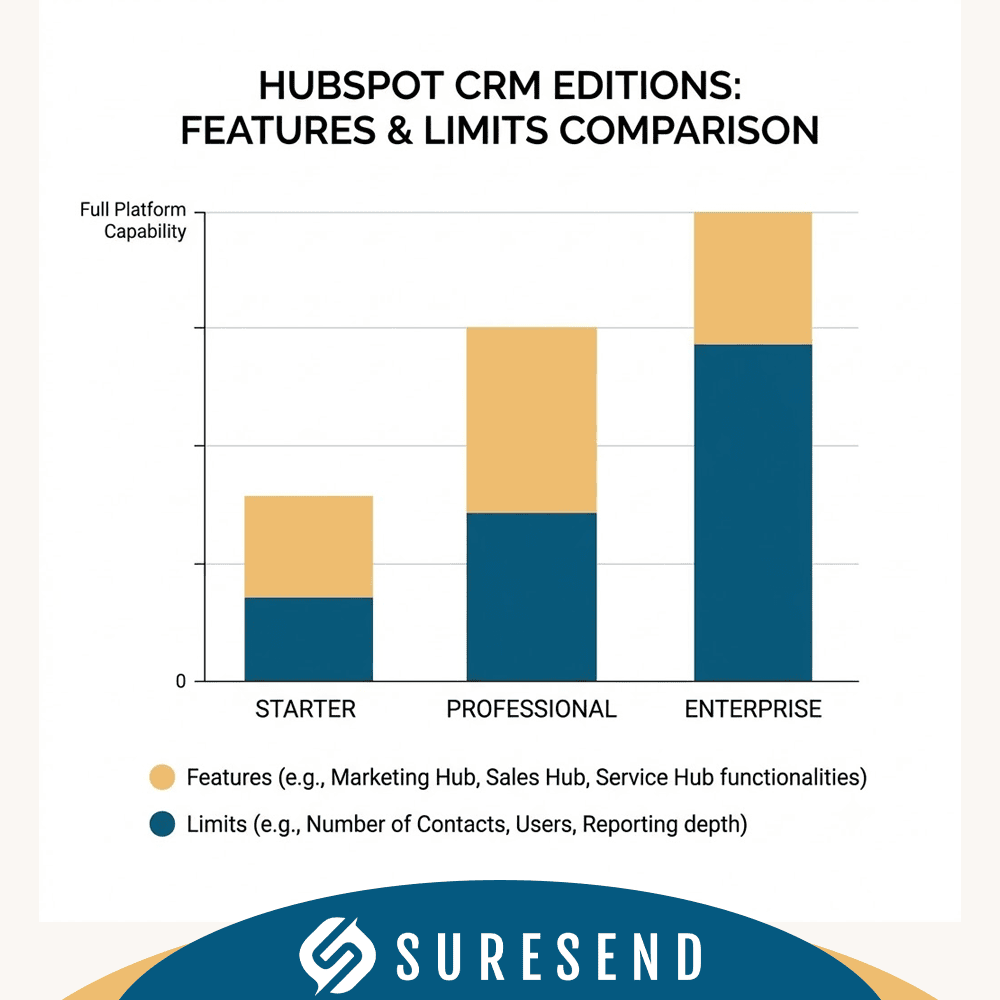
HubSpot CRM pricing follows a tiered structure that scales with features, seats, and contact volume. Here is how it breaks down:
- Free CRM: $0, core features, 2 users. Permanently free.
- Smart CRM Starter: approximately $20 per seat per month. Adds multiple pipelines, basic automation, and branding removal.
- Smart CRM Professional: approximately $50 per seat per month. Adds custom reporting, advanced workflows, and deeper analytics.
- Smart CRM Enterprise: approximately $75 per seat per month. Adds custom objects, predictive scoring, advanced permissions.
- Hub-specific tiers (Marketing, Sales, Service, Content, Data) are priced separately and stack on top of Smart CRM. The Marketing Hub Starter costs $45 per month. Enterprise plans can cost up to $3,200 per month depending on Hub and contact tier.
- HubSpot Credits: a consumption-based model introduced in the mid-2020s for AI agents, external data syncs, and premium features. Credits are included in certain tiers; additional credits are purchased separately.
HubSpot offers bundled pricing for savings when combining multiple Hubs into a suite. Annual contracts reduce the per-month cost compared to monthly billing.
SMB implementations commonly start in the low hundreds per month. Enterprise setups with multiple Hubs, large teams, and high contact volumes reach into thousands or tens of thousands monthly. The pricing model scales with usage, so estimating total cost of ownership requires projecting seat count, contact growth, and which advanced features your team will need in 12-24 months.
To estimate ROI: calculate saved administrative hours (manual data entry, duplicate cleanup), improved close rates from better follow-up systems, and increased customer lifetime value from proactive service and upsell tracking. HubSpot’s own reporting tools help quantify these gains over time.
Integrations: Connecting HubSpot CRM to Your Tech Stack
HubSpot integrates with over 1,000 other applications through its marketplace, native connectors, and API. HubSpot offers over 1,000 integrations with various applications spanning email, calendar, ads, billing, support, and analytics categories. HubSpot supports integrations with numerous external business applications, making it a flexible CRM platform for most tech stacks.
Essential integrations most teams connect:
- Email and calendar: HubSpot integrates seamlessly with Gmail and Outlook for email logging, so every sent and received email appears on the contact timeline. HubSpot’s system integrates various functionalities such as email tools and meeting scheduling.
- Video conferencing: HubSpot allows integration with video conferencing tools like Zoom and Microsoft Teams, with meeting links and recordings synced to contact records.
- Analytics: native Google Analytics integration helps marketing teams attribute leads to channels, content, and campaigns. Combined with HubSpot’s built-in reporting, this creates actionable insights across the customer journey.
- Advertising: direct connections to Google Ads, Facebook Ads, and LinkedIn Ads for audience sync and conversion tracking.
- Billing and payments: integrations with Stripe, QuickBooks, and similar tools to connect revenue data to deal records.
HubSpot’s Operations Hub (now folded into Data Hub) provides native integrations for over 100 apps with bi-directional sync. For anything not covered natively, HubSpot’s API enables custom integrations with other platforms.
The risk of running multiple systems with partial integrations is data fragmentation: different tools holding conflicting versions of the same contact record. Data Hub and good RevOps practices (standardized naming, deduplication rules, regular audits) mitigate this. For teams that want to avoid lock-in entirely, open ecosystem approaches with protocol-level interoperability offer an alternative path. The HubSpot marketplace lists available connectors by category.

Typical HubSpot CRM Implementation and Setup Steps
A standard HubSpot CRM rollout takes 3-4 weeks for a team of 5-20 users. Here is a practical timeline with concrete activities:
Week 1: Audit and data prep
- Inventory all existing tools, spreadsheets, and databases the team currently uses.
- Define the data model: which contact, company, and deal properties you need; what deal stages match your sales process; which lifecycle stages apply.
- Clean and deduplicate data before import. This is the step most teams skip, and it causes problems for months afterward.
Week 2: Configuration
- Set up CRM properties, pipeline stages, and list segments.
- Build basic forms and landing pages for lead capture.
- Configure initial automated workflows (lead assignment, welcome emails, deal stage notifications).
Week 3: Integration and pilot
- Connect email, calendar, and website tracking.
- Link essential integrations (ad platforms, billing, chat).
- Run a pilot with 3-5 users. Collect user feedback on property layouts, pipeline flow, and missing fields.
Week 4: Training and launch
- Train the wider team on daily CRM usage: logging activities, updating deals, using sequences.
- Build core dashboards for leadership: pipeline value, conversion rates, marketing attribution, adoption metrics.
- Set permissions and team structures. Document naming conventions and data standards.
Common pitfalls: over-customizing fields before the team has used the system for 30 days; skipping permission controls and exposing sensitive data; launching complex multi-branch workflows before testing with real records; neglecting ongoing data hygiene after launch.
HubSpot CRM vs. Other CRM Software (Including Sure Send)
HubSpot CRM stands as one of the most widely adopted CRM solutions for SMBs and mid-market companies. HubSpot offers faster time to adoption than Salesforce for small businesses, and HubSpot’s user adoption rates are higher than other CRM platforms, largely because of the intuitive interface and free entry point. For teams running an inbound-heavy go-to-market, HubSpot’s combination of marketing automation, content tools, and pipeline management is difficult to match.
Salesforce offers deeper customization, more complex object models, and an enterprise-grade ecosystem, but it requires more administrative overhead and typically longer implementation timelines. Pipedrive and Zoho compete on price with narrower feature sets focused on pipeline tracking and basic automation. For a broader view, see our list of best web-based CRM platforms.
Sure Send is an AI-native CRM built for sales-led teams and, specifically, for real estate and mortgage professionals. The differences are structural, not cosmetic:
- Built-in dialer with call transcription included in every plan, compared to HubSpot’s limited calling minutes and add-on recording features.
- Smart Lists built through natural language instead of HubSpot’s filter-based list builder.
- Trigger-based outreach tied to real-world property and financial data signals, which HubSpot does not offer natively.
- Proprietary email intelligence that gives users direct control over deliverability, rather than relying on HubSpot’s shared sending infrastructure.
- Data ownership and open protocols including Model Context Protocol support, so your CRM data remains portable.
For teams evaluating HubSpot specifically, see our full breakdown of HubSpot CRM alternatives.
The right CRM system depends on team size, sales process complexity, in-house technical skills, and go-to-market model. Feature checklists alone do not capture whether a platform will actually get used by reps every day.
Is HubSpot CRM the Right Fit for Your Business?
Before committing to any CRM platform, answer these questions honestly:
- How many users need access today, and how many in 12 months?
- What is your monthly contact volume, and how fast is it growing?
- Do you need multi-step marketing automation now, or can you start with basic email?
- How important is phone-based outreach versus email-based selling?
- Do you need custom objects or strict control over data portability and email domain deliverability?
- What is your monthly budget tolerance, including seats, credits, and add-ons?
HubSpot is usually a strong fit when:
- Your business relies on inbound content marketing to generate leads.
- You run a B2B SaaS or agency with straightforward pipelines and need cross-functional visibility between marketing, sales, and service.
- You want to start free and add paid tools incrementally as business growth demands.
- Your team values a single CRM platform that covers multiple tools without heavy integration work.
Consider alternatives like Sure Send when:
- Your sales team runs high-volume outbound calling and needs per-conversation analytics and coaching infrastructure.
- You operate in real estate or mortgage and need trigger-based outreach tied to property data signals.
- Data ownership, email deliverability control, and vendor independence are non-negotiable requirements.
- You are running multiple tools today and want to consolidate without adding platform risk.
Map your current tech stack. Estimate growth in contacts and users over the next 24 months. Quantify the cost of staying on existing tools versus switching. Then run a real pilot.
Next Steps: Evaluating HubSpot CRM and Alternatives

If you have read this far, you have a clear picture of what HubSpot CRM includes and where it falls short. Here is a concrete evaluation process:
- Shortlist 2-3 CRM solutions. HubSpot, Sure Send, and one other tool relevant to your industry or sales model.
- Define your criteria. Separate must-haves (contact management, pipeline tracking, email marketing) from nice-to-haves (AI coaching, property data triggers, custom objects). Document requirements for marketing sales and customer service.
- Run a 30-day trial with real data. Import actual contacts, build your pipeline, send a campaign, log calls, create a support ticket. Test whether the platform handles your daily workflows without workarounds.
- Score each platform on ease of use, automation depth, calling and dialer tools, data control, essential integrations, and projected cost over 12 months.
- Talk to a practitioner. Vendor demos show best-case scenarios. Ask to speak with a current customer in a similar business to yours.
The best CRM is the one your team actually uses every day. Test it with real data, measure adoption metrics after the first 30 days, and make your decision based on what works, not what looks good in a slide deck.
If you want an independent, practitioner-level perspective on whether HubSpot or an AI-native CRM fits your go-to-market model, reach out to Sure Send for a direct comparison built on your actual workflows.
What are the main reasons companies switch from HubSpot CRM to Sure Send?
Companies often switch to Sure Send for its AI-native architecture, built-in dialer with call transcription, and proprietary email intelligence that offers better deliverability control. Sure Send’s trigger-based outreach tied to real estate and mortgage data signals also provides unique value that HubSpot lacks, making it ideal for teams needing deeper automation and data ownership.
How does Sure Send provide better sales team accountability than HubSpot CRM?
Sure Send offers Smart Lists built through natural language and the Win the Day Formula, which calculates the dollar value of every call based on historical conversion data. This gives sales leaders precise daily performance insights and coaching tools that HubSpot’s email- and pipeline-focused system does not natively provide.
Can Sure Send handle industry-specific workflows better than HubSpot CRM?
Yes, Sure Send is designed with deep out-of-the-box capabilities for real estate and mortgage professionals, including contract lifecycle management and trigger-based outreach based on property and financial data. HubSpot CRM is more general-purpose and may require custom development for these specialized workflows.
What are the cost considerations when choosing Sure Send over HubSpot CRM?
Sure Send offers tiered subscription plans with transparent monthly and annual billing, often providing better value for teams needing built-in calling and AI coaching. HubSpot’s pricing can scale quickly with add-on Hubs and credits, potentially increasing total cost of ownership for advanced features.
How does data ownership differ between Sure Send and HubSpot CRM?
Sure Send emphasizes independence and data ownership, ensuring customers retain full control of their CRM data without vendor lock-in. HubSpot CRM uses a shared sending infrastructure for email and limits data portability, which can be a risk for businesses prioritizing data sovereignty.
Is Sure Send easier to adopt for sales teams compared to HubSpot CRM?
Sure Send’s AI-native design and intuitive interface reduce training time, especially for phone-driven sales teams. Its built-in dialer and natural language Smart Lists streamline daily workflows, whereas HubSpot CRM’s broader marketing and service tools can introduce complexity for sales reps focused on outreach.
How does Sure Send integrate with existing business tools compared to HubSpot CRM?
Sure Send supports direct native integrations and an open ecosystem with Model Context Protocol, enabling seamless interoperability without vendor lock-in. HubSpot offers over 1,000 integrations through its marketplace but may require middleware for custom workflows.
What should a company consider before switching from HubSpot CRM to Sure Send?
Evaluate your sales process complexity, need for AI-powered coaching, email deliverability control, and industry-specific workflows. Run a pilot with your actual data to compare adoption, automation depth, and ROI. Sure Send excels when phone outreach and data ownership are critical, while HubSpot suits inbound-heavy marketing models.