CRM in the Service Industry: How Modern CRM Systems Transform Customer Relationships
Service businesses today run on relationships, recurring work, and word of mouth. Whether you manage a team of HVAC technicians, lead a digital marketing agency, or close mortgage loans, your revenue depends on how well you track, nurture, and follow up with every client. Customer relationship management is not a nice-to-have for service companies. It is the operational backbone that determines whether a one-time job becomes a lifelong client or a missed opportunity.
This article is a practical, 2027-ready guide to CRM in the service industry. You will learn what separates a service-focused CRM from generic sales tools, how to evaluate and implement the right platform, and where AI and automation are delivering measurable gains today. We will also share concrete recommendations from Sure Send’s perspective as an AI-native CRM built for the workflows service teams actually use.
Introduction: Why CRM Matters So Much in the Service Industry
The service industry is broad. It includes home services like plumbing, electrical, and landscaping. It covers agencies handling marketing, design, and consulting. It spans IT support, real estate, mortgage, healthcare, and hospitality. What every one of these verticals shares is a dependence on reliable customer interactions tracking. A missed follow-up after a repair, a forgotten renewal on a service contract, or an unanswered inquiry from a referral partner all erode trust and revenue.
Yet many SMB service businesses still operate with fragmented tools. Customer details live in spreadsheets. Appointment notes are scattered across email inboxes, WhatsApp threads, and sticky notes. Phone calls go unlogged. The result is predictable: missed follow-ups, inconsistent service experiences, and declining customer satisfaction. When 82% of service professionals say customer expectations are higher than ever, running your business from a patchwork of disconnected tools is a liability you cannot afford.
CRM software serves as the operational home base for all customer interactions, touchpoints, and service history. It is where every inquiry, job, contract, field visit, and billing record converges into a single view. And as we will explore throughout this article, modern CRM systems do far more than store contacts. They automate workflows, guide daily priorities with AI, and connect your entire tech stack around the customer.
What Is CRM in the Context of the Service Business?
Customer relationship management CRM, in a service context, means managing the full lifecycle of ongoing client needs, not just closing individual deals. A service business handles requests, dispatches technicians, tracks warranties, renews contracts, and delivers post-service support. The CRM system powering this work must reflect those realities.
Customer relationship management software built for services goes beyond a standard sales pipeline. It tracks tickets, work orders, SLAs, field visits, contracts, and billing milestones alongside the traditional contacts and deals.
Consider three concrete scenarios:
- Plumbing company: Receives an emergency request, dispatches a technician with full history of that property, completes the job, then triggers a follow-up for warranty registration and a seasonal maintenance offer.
- Digital marketing agency: Manages client projects across design, social media, and SEO deliverables, tracks billing milestones, revisions, and contract renewal dates inside one system.
- Mortgage team: Moves borrowers through pre-approval, submission, underwriting, and closing, then maintains a post-close nurture pipeline for refinancing and referral outreach.
The differences between generic CRM and service CRM are significant. Service CRM includes job-centric and asset-centric records (locations, properties, equipment), recurring service plans and maintenance contracts, dispatch and mobile workforce tools, and SLA tracking with turnaround time alerts. These are not standard features in most sales-focused platforms.
Modern CRM systems combine contact management, sales force automation, service workflows, analytics, and AI in one cloud based CRM platform. By 2026, leading analysts describe CRM platforms not just as databases but as systems of record and action with embedded AI agents.
Why CRM Is a Must-Have for Service Companies in 2026
Rising customer expectations make CRM non-negotiable. Clients expect 24/7 responsiveness across multiple channels, personalized service, and self-service options like online booking and status portals. Companies that invest in CRM can stay ahead of customer expectations instead of reacting to complaints after the damage is done.
Post-COVID behavior shifts accelerated these demands. Remote coordination, virtual estimates, SMS-first communication, and online reviews now shape how service businesses win and lose clients. Managing work across dispersed settings, with field technicians, office dispatchers, and remote sales reps, requires a centralized record everyone can trust.
CRM underpins predictable service delivery. It prevents missed appointments, double bookings, and forgotten renewals. According to Gartner’s 2025 survey, 77% of service and support leaders report pressure from senior executives to deploy AI, and service organizations’ budgets for AI are increasing to match. The message is clear: CRM is not just a database or just a sales tool. It is the operating system for service business operations.
Key Benefits of CRM in the Service Industry
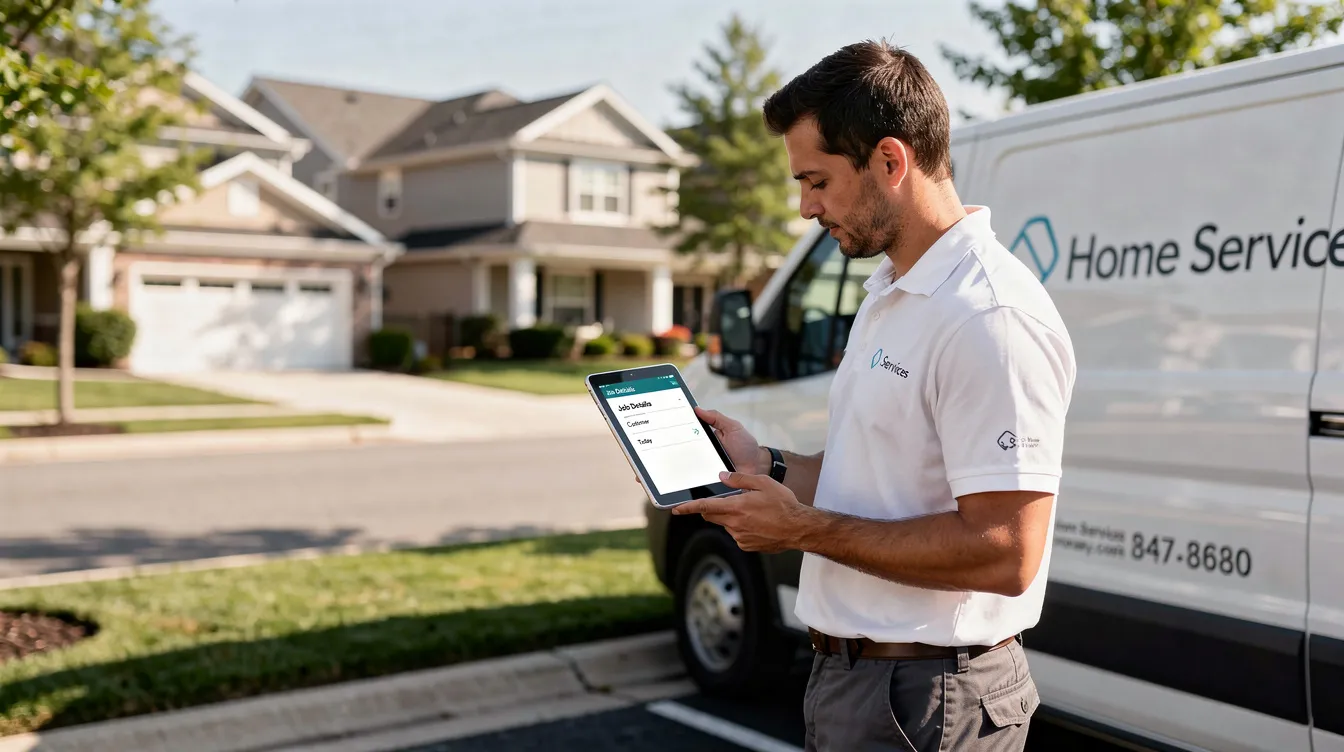
The benefits of CRM in the service industry fall into four categories. Each is explored in greater depth throughout this article, but here is the summary:
- Customer satisfaction: Faster, more accurate responses and proactive outreach for renewals and maintenance reminders. CRM can increase customer satisfaction by 33%.
- Team efficiency: Automation features, templates, and reduced double data entry free your service teams to focus on the work that matters.
- Revenue growth: Higher renewal rates, more repeat projects, and better upselling of maintenance plans and add-on services. Companies using CRM report a 41% increase in revenue per salesperson.
- Risk reduction and visibility: Better insight into business operations, workload, margins per contract, and performance of individual reps or technicians. A 5% increase in customer retention boosts profits by 50% on average.
These are not theoretical. They are measurable outcomes that service businesses of all sizes achieve when they implement an effective CRM system.
Customer Satisfaction and Experience: Putting Relationships at the Center
Think about the typical service journey: a homeowner submits an inquiry, gets booked for an inspection, has work completed on-site, receives a follow-up call, and eventually enters an ongoing maintenance relationship. Every stage is a chance to build or break trust.
CRM tracks each customer interaction, from phone calls and emails to SMS, portal messages, and meeting notes, creating a single continuous story. When a repeat client calls in, the rep sees their full history instantly. No asking the customer to repeat themselves. No hunting through old emails.
Comprehensive customer histories enhance personalized interactions. If a client prefers text over email, that preference is stored. If they had an issue with a previous job, the technician arriving on-site already knows. CRM systems help businesses provide personalized support effectively, and customers are willing to pay more for better experiences.
Concrete examples of CRM-driven experience improvements:
- Appointment reminders sent via text two hours before a scheduled visit
- A personalized seasonal check-up offer based on the client’s service history and equipment age
- A follow-up survey triggered automatically after job completion
- Instant alerts when a negative review appears, so a manager can respond within hours
Service quality improves with the use of CRM tools to track customer preferences. You can measure NPS, CSAT, and review volume directly from CRM data and act on negative feedback before it becomes a pattern.
Centralized Contact Management for Service Clients
Contact management is the foundation. Every household, property, or business account is stored with a complete profile linking related records: tickets, jobs, quotes, invoices, contracts, and communication logs.
Before CRM, the picture looks like this: customer information in one spreadsheet, job history in another, invoices in the accounting software, and notes in someone’s inbox. After CRM, a single profile connects everything. Centralized client data prevents staff from wasting time searching for information, and CRM systems streamline customer data into a single source of truth.
Service businesses often deal with complex relationships. One account may have multiple contacts. One contact may be tied to multiple properties. Referral sources and partners need their own tracking. A CRM handles all of this with linked records and relationship mapping.
Unified contact management also supports compliance. TCPA and DNC preferences, consent records, and documented conversations are all attached to the contact record, reducing legal risk. CRMs centralize job histories and customer communications in one place, so nothing is lost when a team member leaves or changes roles.
Use customer segmentation inside CRM to prioritize outreach: segment by service plan tier, lifetime value, location, or renewal date. This lets you allocate marketing and service resources where they will have the most impact across the entire customer lifecycle.
Sales Force Automation for Service Businesses
Sales force automation in a service context means structuring the pipeline from initial inquiry through signed agreement and beyond. Typical stages for a service business might look like this:
Stage | Description |
|---|---|
Lead | New inquiry received |
Consult / Inspection | On-site assessment or discovery call |
Quote | Estimate or proposal sent |
Negotiation | Pricing or scope adjustments |
Scheduled | Job confirmed and on calendar |
Completed | Work finished |
Follow-up | Post-job satisfaction check |
Renewal | Ongoing service agreement |
CRM systems standardize customer interactions and service workflows across these stages. Automation features like task creation on status changes, automatic follow-up reminders, and quote approval workflows keep deals moving without manual babysitting.
Real-time visibility into pipelines and service queues helps prioritize work. Sales teams can track close rates by channel, whether leads come from Google Ads, referrals, HomeAdvisor, or Zillow, and adjust marketing spend accordingly.
Sure Send’s Winning Formula concept calculates a dollar value for every call and conversation based on a rep’s actual conversion history. Applied to a service business, this means every technician or sales rep can see exactly what their daily activity is worth in revenue, turning abstract effort into concrete numbers.
Streamlining Business Operations and Service Delivery
CRM coordinates office staff, field teams, and subcontractors around a common job record. CRM software improves operational efficiency by connecting teams around customer profiles, so everyone sees the same status, notes, and next steps.
Better scheduling and resource management are achieved through CRM integration. Centralized calendars, work orders, and route information reduce no-shows, double bookings, and wasted travel time. CRM systems enhance team collaboration by allowing departments to share updates in real-time.
Concrete examples:
- An HVAC company optimizes daily maintenance routes, grouping nearby jobs to cut drive time
- An IT managed service provider schedules recurring visits based on contract terms stored in CRM
- A home cleaning business tracks recurring visits and assigns crews by zone and availability
Modern CRM platforms integrate scheduling, document storage (contracts, photos, permits), and real-time status updates. Operational dashboards display open tickets by priority, job backlog, SLA breaches, and technician utilization, giving service managers the visibility they need to act before problems escalate.
Field Service and On-Site Work Management
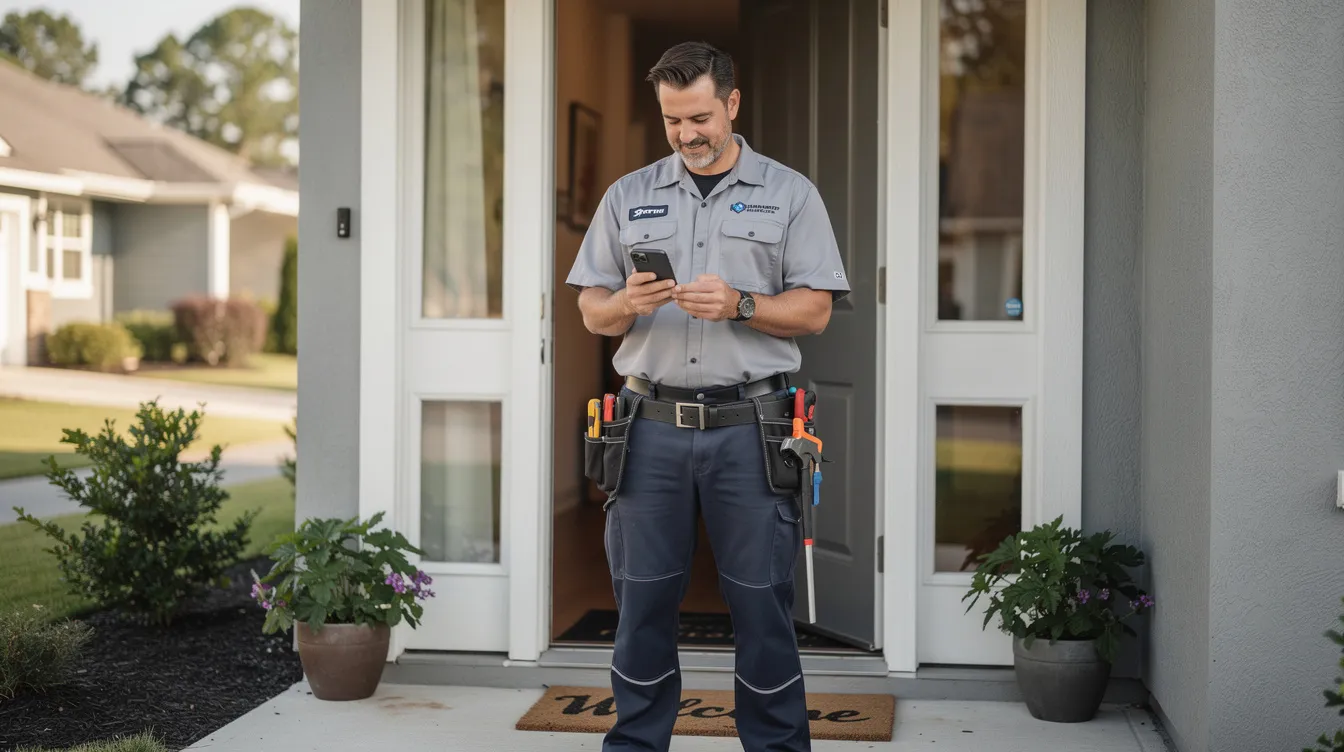
Field service is where CRM meets the real world. Mobile access allows technicians to update job statuses in real time from their phones or tablets, whether they are on a rooftop, in a crawlspace, or at a client’s office.
A CRM-driven field workflow looks like this:
- Dispatcher assigns a job based on technician location, skill set, and availability
- Tech receives a push notification with job details, client history, and property information
- On arrival, tech reviews previous repairs, installed equipment, and any open notes
- Digital forms, checklists, and signatures are captured on-site
- Data syncs back to the customer record instantly
- Post-visit follow-up email, invoice, and next-appointment scheduling trigger automatically
Automated scheduling reduces delays and improves response times. GPS context and offline capability ensure that even in low-connectivity areas, technicians have what they need. This data loop feeds directly into analytics, coaching, and billing without anyone re-entering information.
Managing SLAs, Turnaround Time, and Escalations
Service Level Agreements are contractual commitments: respond within 2 hours, resolve within 1 business day for priority clients. In industries like IT support, facilities maintenance, and B2B equipment servicing, SLA compliance is not optional. It is the basis of the contract.
CRM tracks SLA timers on every ticket or job, raising alerts as deadlines approach and logging breaches when they occur. Faster issue resolution is achieved by tracking service requests systematically. CRM systems can improve case resolution during first interaction by 32%, which directly reduces escalations and client frustration.
Escalation workflows handle the rest. When turnaround time is exceeded, CRM can:
- Notify the manager via push notification or email
- Reassign the job to an available technician
- Trigger a customer apology message with an updated ETA
Research from the Bitkom whitepaper on AI agents in CX reports 15–25% increases in first contact resolution and 20–40% reductions in average handling time when AI-supported workflows are used inside CRM. Robust SLA tracking improves accountability, reduces churn, and helps fulfill obligations in written service contracts.
After-Sales Service, Preventive Maintenance, and Recurring Revenue
The real money in service businesses comes after the first job. After-sales support and preventive maintenance maximize customer lifetime value and build the kind of customer loyalty that generates referrals.
CRM stores warranty dates, annual maintenance contract terms, and service plan details per asset or property. Automations create tasks and send reminders before contract renewal or due dates, so nothing slips through. Service businesses can improve customer retention with proactive support, and proactive communication can prevent issues before they arise.
Examples of CRM-driven recurring revenue workflows:
- Annual boiler inspections scheduled automatically 30 days before the previous service anniversary
- Quarterly pest control visits triggered by the service plan attached to the property record
- Semiannual roof inspections for a property portfolio managed inside the CRM
A CRM-based maintenance schedule means stable recurring revenue and fewer emergency calls caused by neglected upkeep. Customer retention is not a mystery when you have a system that reminds you, and your clients, exactly when the next touchpoint should happen.
Automation Features: Reducing Repetitive Work for Service Teams
The most time-consuming manual tasks in service businesses include copying data between tools, sending appointment reminders, updating spreadsheets after completed jobs, and chasing clients for feedback. Automated workflows ensure timely client communication and reduce administrative overhead.
Core automation patterns every service business should implement:
- Status-based tasks: When a job moves to “completed,” create a follow-up task for the account manager
- Date-based reminders: 90, 60, and 30 days before contract renewal, trigger email and task sequences
- Drip follow-ups: After sending a quote, schedule three follow-up touches over two weeks
- Post-service feedback: Automatically send a satisfaction survey 24 hours after job completion
These automation features free reps and technicians to focus on customer conversations and high-value activities instead of admin work. Visual automation builders in modern CRM systems make it easy for non-technical service managers to design and adjust workflows without writing code.
Here is an example of a multi-step workflow:
New service request → automatic confirmation email → internal assignment to available tech → reminder 2 hours before appointment → post-visit follow-up survey → review request on Google/Yelp if satisfaction score is high.
This kind of service automation runs in the background while your team focuses on doing the actual work.
AI CRM: Using Artificial Intelligence to Improve Service Performance
AI CRM combines CRM data with AI models to guide next actions, summarize interactions, and forecast outcomes. AI-powered CRMs automate repetitive tasks like data entry, but the real value goes much deeper.
AI uses specific to service businesses:
- Churn prediction: Flagging clients whose engagement patterns suggest they may not renew
- Upsell recommendations: Suggesting maintenance plan upgrades based on service history and customer behavior
- Ticket triage: Automatically routing incoming requests by urgency, type, and client tier
- Call summarization: Condensing long call transcripts and email threads into highlights for busy managers
Sure Send’s AI-native architecture delivers these capabilities without bolting on third-party AI tools. Built-in call transcription, Smart Lists created through natural language prompts, and agent-like automations that respond to real-world property or financial data signals are part of the core platform.
Around 70% of companies want to use AI in their CRM systems, but practical guardrails matter. Data privacy, human review of AI suggestions, and training staff to trust but verify AI outputs are essential. AI should augment human judgment, not replace it.

Data-Driven Decision Making and Service Analytics
CRMs enable data-driven decision-making through analytics dashboards, cohort analysis, revenue breakdowns by service line, and technician performance reports. CRM systems analyze customer behavior for informed decision making, replacing gut-driven guesses with evidence.
Key metrics for service businesses to track inside CRM:
Metric | What It Tells You |
|---|---|
First-time fix rate | How often jobs are resolved on the first visit |
Average resolution time | Speed of service delivery |
On-time arrival rate | Reliability of scheduling |
Repeat work orders per asset | Equipment or service quality issues |
Contract renewal rate | Customer loyalty and retention health |
Revenue per rep/tech | Individual productivity |
Data-driven insights help predict trends and tailor services. Historical CRM data guides staffing decisions, coverage hours, and pricing adjustments. AI-powered forecasting spots demand peaks by season and shifts in inquiry volume by channel, letting you pre-allocate resources before you are caught short.
Companies using CRM report a 41% revenue increase per salesperson, and much of that gain comes from better data visibility, not just working harder.
Customer Communication: Omnichannel Interactions from One Place
Modern customers expect to reach businesses via phone calls, SMS, email, chat, and social media, and they do not want to repeat themselves when they switch channels. CRM tools enhance customer interactions by tracking communication history across every touchpoint. CRMs provide a unified view of customer interactions across teams, so whether a client texted yesterday or emailed last week, the full thread is visible.
Practical omnichannel CRM patterns:
- Web forms route directly into CRM as new leads or service requests
- Inbound and outbound calls log automatically through a built-in dialer with transcription
- Email threads sync into the contact timeline without manual forwarding
For U.S.-based service businesses, TCPA and DNC compliance for SMS and calling is critical. Sure Send’s ezVerify.ai manages consent verification and risk, so marketing teams and sales teams can reach potential customers confidently without exposing the business to regulatory penalties.
Consistent, documented communication protects the business in case of disputes and serves as training material for new staff learning how experienced reps handle customer inquiries.
CRM Integrations: Connecting Your Service Tech Stack
A CRM becomes the hub of your service business when it integrates with the rest of your stack. Common integration points include accounting software like QuickBooks or Xero, scheduling platforms, marketing tools, e-signature services, and phone systems.
Benefits of an open ecosystem:
- Send invoices generated from CRM data directly to your accounting software
- Push paid invoice status back into CRM to update the customer record
- Automatically advance pipeline stages when contracts are signed via e-signature
- Support for Model Context Protocol (MCP) enables advanced AI workflows that pull data from external sources
Sure Send is designed to consolidate the 3–8 disconnected tools common in SMB service businesses, sitting at the center of your tech stack with native integrations and an open API. Prebuilt integrations handle the most common connections, while custom API work handles edge cases through developer partners or the Sure Send Marketplace.
Data Ownership, Vendor Risk, and CRM Independence
Data ownership is not an abstract concern. In 2024–2026, several CRM platforms have been acquired, sunset, or radically changed terms, leaving SMBs scrambling to export years of customer data on short notice.
What “owning your data” means in practice:
- Full exportability in open, standard formats (CSV, JSON) at any time
- Clear contractual rights about how the vendor can and cannot use your customer information
- Change-of-control clauses that protect you if the vendor is acquired
- Regular automated backups you control
Vendor risk also includes platforms with competing commercial interests. If your CRM provider also sells leads to your competitors or runs a marketplace that profits from steering business away from you, your data may be working against you.
Sure Send’s independence and proprietary infrastructure are designed as safeguards for service businesses that need long-term stability. No competing lead generation business. No marketplace that sells your clients’ attention to someone else.
When evaluating any CRM platform, ask about data export tools, uptime SLAs, change-of-control clauses, and backup policies before you sign.
Specialized Workflows: Real Estate, Mortgage, and Property-Centric Services
For service businesses tied to properties, CRM needs to represent properties, listings, loans, and transactions as first-class records linked to people and tasks.
Sure Send integrates with the ez Home Search and AVM platform to trigger outreach based on real-world property and financial signals. A new listing, a change in property value, or a credit event can automatically initiate a follow-up sequence inside the CRM.
A concrete property-centric workflow:
- Buyer finds a home through ez Home Search integration
- Agent nurtures the buyer through showings, offer, and closing inside the CRM pipeline
- After closing, the buyer moves into a homeowner service and referral program
- CRM triggers seasonal maintenance reminders, anniversary check-ins, and referral requests
- If the homeowner’s property value hits a threshold, an automated alert prompts a refinance conversation with a mortgage partner tracked in the CRM
This same property-centric model helps roofing, solar, and landscaping companies track jobs, warranties, and follow-up opportunities by address. The property record becomes the anchor that connects every service touchpoint over years, not just a single transaction.
Choosing the Right CRM for a Service Business
Choosing the right CRM starts with knowing what your service workflows actually demand. Evaluation criteria should include:
- Ease of use for front-line staff who will use it daily
- Fit for service workflows (job tracking, SLAs, recurring plans)
- Automation depth beyond basic email sequences
- AI capability that is native, not bolted on
- Integrations with your existing accounting software, phone systems, and marketing platforms
- Vendor stability and data ownership guarantees
CRM solutions range from dedicated field-service tools (deep on dispatching, thin on sales) to general-purpose CRM platforms (broad, but require heavy customization) to AI-native CRMs like Sure Send (built for follow-up-intensive businesses with strong out-of-the-box workflows).
Before demoing products, list your non-negotiables. Mobile app for technicians? SLA tracking? Open API? TCPA compliance? Once you know what you need, test 1–2 platforms with live data for 14–30 days, involving both office and field staff in feedback. Do not let a vendor demo alone decide your choice. For teams struggling to evaluate options, this guide on challenges small teams face when picking a CRM covers the most common pitfalls.
Implementing a CRM in a Service Organization
A phased rollout prevents the chaos of a big-bang switch. Here is a practical sequence:
- Discovery and process mapping: Document your current service stages, communication flows, and data sources
- Configuration: Customize CRM fields, pipelines, and terminology to match your real workflows, not generic defaults
- Data migration: Clean existing data by deduping contacts, standardizing addresses, and consolidating lists from Excel, email, and legacy tools
- Pilot: Roll out to a small group of office staff and field techs, collect feedback, adjust
- Full rollout: Expand to all teams with documented SOPs and role-based views for admins, dispatchers, reps, and technicians
Start with a few high-impact automations: new lead follow-up reminders, appointment confirmation texts, and post-job satisfaction surveys. Once your team sees the value, build more advanced workflows like multi-step drip campaigns and marketing automation tasks tied to contract milestones.
CRM technology only delivers results when it matches how your people actually work. Force generic defaults on a service team and adoption will collapse within weeks.
Driving Adoption, Accountability, and Coaching With CRM
The most common reason CRM fails in service businesses is not the software. It is that reps and techs see it as an admin burden with no personal benefit.
Fix this by showing “what’s in it for them”:
- Less manual tracking and fewer duplicate entries
- Fewer client disputes because every conversation is documented
- More commission visibility through pipeline and activity dashboards
- Easier daily planning with a clear task queue
Managers can use CRM dashboards in daily or weekly meetings to review activity, outcomes, and coaching points. Sure Send’s daily performance loop, including Smart Lists, the Take Action queue, and real-time feedback on calls, provides a coaching infrastructure that turns CRM data into constructive improvement rather than micromanagement.
Set minimal required fields. Automate what you can. Use CRM data to support staff, not punish them. The goal is a system people want to open every morning because it makes their day easier.
Cost, ROI, and Scaling Your CRM Investment
CRM costs for service SMBs in 2026 typically follow these models:
- Per-user/per-seat licensing with tiered feature plans
- Monthly vs annual billing, with annual plans offering 10–20% discounts
- Add-on charges for AI features, additional storage, or premium integrations
Cost components beyond licenses include onboarding, data migration, customization, possible outsourced admin support, and ongoing training.
To model ROI, estimate value from:
- Incremental gains in renewal rates and customer retention
- Reduced no-shows and rescheduled jobs
- Higher conversion rates from faster lead response
- Saved labor hours from automating data entry and scheduling
- CRM can reduce IT costs by 30% through consolidation of redundant tools
Service businesses should start on a lower tier and scale up as they add reps, technicians, and more automated workflows. For a detailed breakdown, review CRM pricing comparison data to benchmark costs across platforms.
Future Trends: AI, Automation, and the Next Generation of Service CRM
Looking ahead to 2026–2030, CRM in the service industry will evolve from a system of record into an active co-pilot that suggests daily priorities, executes routine tasks, and responds to real-world signals without waiting for human input.
Key trends shaping the next generation:
- Agentic AI: AI agents that do not just recommend actions but execute them, scheduling visits, approving quotes, opening tickets based on sensor data, and escalating when needed
- IoT integration: Sensors on HVAC units, elevators, and commercial equipment will feed data directly into CRM, triggering preventive maintenance work orders before failures occur
- Voice and conversational interfaces: Field techs will query CRM by voice, asking for all overdue jobs in a specific zone or a customer’s purchase history without touching a screen
- Predictive and prescriptive analytics: Not just which customer might churn, but exactly what action to take and when
- Regulatory evolution: More rules around AI usage, data privacy, SMS consent, and cross-border data storage will shape which CRM features are viable
The service businesses that thrive will not be the ones with the most tools. They will be the ones with a single, intelligent system connecting every customer touchpoint from first contact through years of ongoing service.
Start by auditing your current managing customer relationships process. If customer information lives in more than two places, you already have a CRM problem worth solving. Explore an AI-native CRM like Sure Send at suresend.ai to future-proof your service business with the CRM strategy, analytics, and automation your team needs today and tomorrow.