
Project Management CRM: How to Unite Customer Relationships and Delivery in One System
Every project-based business faces the same tension: the tools you use to win clients aren’t the same tools you use to deliver results. Your sales pipeline lives in one app, your task boards in another, your documents in a shared drive, and your client communication scattered across email, text, and phone. The result is lost context, broken handoffs, and clients who feel like they’re dealing with a different company after they sign.
This guide is for project-based businesses, agencies, real estate, and mortgage teams looking to streamline client management and project delivery in one unified system. Uniting CRM and project management matters because it helps reduce tool sprawl, improves the client experience, and streamlines operations—ensuring that your team can deliver a seamless journey from first contact to final deliverable.
A project management CRM solves this by combining customer relationship management and project delivery into a single system. This guide walks you through how it works, what to look for, and how to implement one without disrupting your business.
What is Project Management CRM?
Picture a real estate team in 2026. An agent captures a lead, nurtures them through property viewings, negotiates an offer, and then manages a 30-day closing process involving inspectors, lenders, title companies, and transaction coordinators. That’s a sales relationship and a delivery project happening simultaneously, on the same client record.
CRM focuses on managing customer relationships and interactions. It’s where you track your sales pipeline, log calls and emails, manage customer data, and forecast revenue. Project management software, on the other hand, is designed for task planning and execution. It handles deadlines, milestones, dependencies, and team assignments to get work done on time.
Historically, these lived in separate worlds. CRM systems track sales pipelines and customer data, while separate PM platforms and project tools emphasize resource allocation and performance tracking. The problem? When a deal closes in your CRM, your delivery team starts from scratch in a different app. Context is lost, promises are forgotten, and clients repeat themselves.
CRM project management software combines customer management and project execution in a unified platform. CRM and project management software can be integrated for efficiency, but the strongest systems are built as one product rather than two tools stitched together.
Sure Send, built by ez Home Search, Inc., is an AI-native CRM with project management capabilities designed for this exact challenge. While it serves any sales-driven business, it has the deepest out-of-the-box workflows for real estate and mortgage teams where every client relationship is also a complex project.
Here’s the core definition and value of a CRM with project management:
- Single source of truth for contacts, deals, tasks, milestones, files, and communication in the same place
- Seamless transition from sales stage to delivery stage without switching tools or re-entering data
- Visibility for everyone involved, from the sales rep to the project manager to the client
- Automation that keeps projects moving based on deal stages, deadlines, and real-world data signals
How CRM Project Management Works in Day-to-Day Operations
Let’s trace a concrete example. A mortgage loan officer receives a referral lead. The lead enters the CRM, and the officer logs an initial call, captures financial details, and moves the contact into the “pre-approval” stage. From here, every step becomes both a relationship touchpoint and a project task.
CRM project management helps manage client-facing aspects and administrative tasks across the entire lifecycle. Robust pipeline tracking helps teams visualize the sales funnel from lead to closed deal, while the project side tracks every deliverable to completion.
Here’s how each stage maps to CRM features:
- Lead → Pre-Approval: Contact record created, communication history logged, Smart Lists in Sure Send surface high-priority leads, automated nurture sequences begin
- Pre-Approval → Application: Task created for document collection, checklist for income verification and credit review, client interactions tracked across email and phone
- Underwriting → Conditions: Project tasks assigned to processors and underwriters, milestone deadlines set, automated alerts when conditions are outstanding
- Clear to Close → Closing Day: Final tasks for title coordination, signing appointments, and funding confirmation, all visible on the pipeline view
- Post-Close → Retention: Automated follow-up campaigns, rate review reminders, referral requests triggered on anniversary dates
Sure Send’s Take Action queue surfaces the day’s most important tasks for each user, whether that’s a follow-up call on a new lead or a missing document holding up underwriting, so users can easily spot and act on blockers. Time-based and event-based automations keep the project on schedule without constant manual follow-up from a project manager.
Key Benefits of Combining CRM and Project Management
When you stop treating sales and delivery as separate systems, both sides improve. CRM project management centralizes client information and project details so nothing gets overlooked.
Here are the benefits that matter most:
- Fewer tools, lower overhead. Using CRM PM reduces the time spent switching between multiple apps. One subscription, one login, one training path instead of five, which cuts admin hassle.
- Better client communication. With unified history, customer communication stays in one place, so anyone on the team can answer a client question without hunting through email threads or asking a colleague. Real-time updates provide visibility on project stages without extra meetings.
- Real-time project visibility. Leaders see project status, pipeline health, and team workload on a single dashboard instead of assembling reports from three systems.
- More accurate forecasting. When pipeline data is tied directly to delivery capacity, you can predict bottlenecks and revenue with more confidence.
- Stronger accountability. Every task has an owner and a deadline. No more “I thought you were handling that” conversations.
- Higher customer retention. CRM PM enhances customer satisfaction through personalized service. Projects delivered on time with clear communication lead to referrals and repeat business.
AI-native tools like Sure Send surface risk signals before projects go off track. If a task is overdue, a client email is unread, or a milestone is approaching without progress, the system flags it so teams do not miss critical tasks or milestones. This is especially important for complex projects involving multiple teams or external partners like inspectors, lenders, or contractors.
Cohesive, Personalized Customer Experiences Across the Project Lifecycle
Modern buyers expect the same level of personalization from their real estate agent or loan officer that they get from Netflix. Generic status updates and “just checking in” emails don’t cut it.
When you link project data (deadlines, milestones, open issues) with customer relationship management data (communication preferences, past interactions, budget), every message becomes contextual and relevant, helping teams understand the client context better.
- Automated progress emails go out when milestones are reached, not on arbitrary schedules. A buyer gets a tailored update the moment their inspection clears, with next steps already outlined.
- Pre-meeting summaries are generated from CRM data so you walk into every call prepared.
- Anniversary and renewal reminders trigger automatically based on close dates stored in the project record.
- Sure Send’s proprietary email intelligence layer tracks opens, replies, and engagement patterns, helping teams adjust messaging mid-project rather than guessing what’s landing.
- Cross-channel history of emails, calls via the built-in dialer, SMS, and meetings is visible to everyone working on the project, so they can share context across the team. No team member is ever caught off guard by something a colleague already discussed.
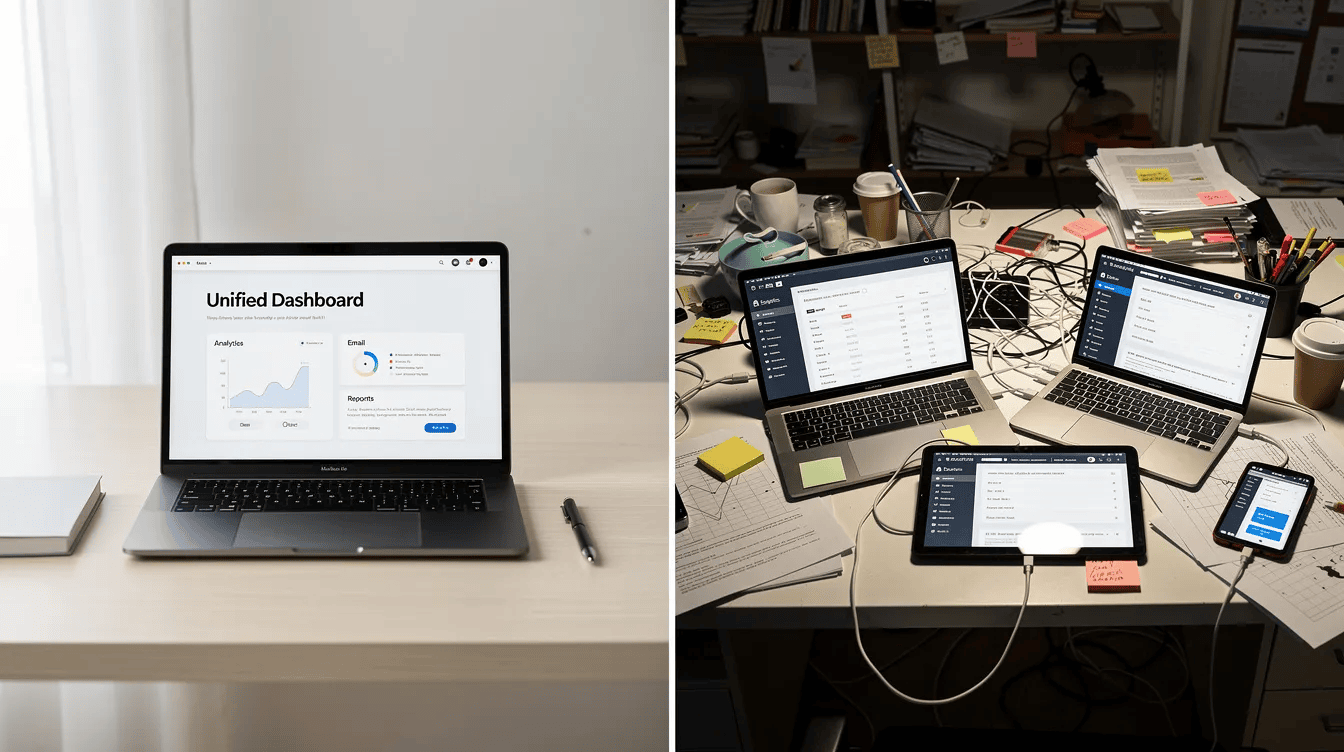
Process Consolidation: One Workspace Instead of Eight Tabs
The average company uses over 900 apps, complicating processes and creating data silos that slow everything down. Even a small team of five often juggles a CRM for leads, a PM app for tasks, an email platform, a dialer, file storage, a calendar tool, and maybe a quoting tool, and that stack can feel overwhelming. Each switch costs context, and each gap between tools creates risk.
A unified CRM and project management platform helps streamline operations by keeping everything in one system of record and eliminating manual data entry. Consolidating processes in CRM PM increases team productivity because your team stops burning hours on data re-entry and tool management.
A centralized data hub keeps client communication and project timelines in the same place. Here’s what that looks like in practice:
Before consolidation:
- Lead comes in via CRM → deal notes in spreadsheet → tasks in Trello → documents in Google Drive → calls logged in a separate dialer → status updates via Slack → invoices in QuickBooks
After consolidation:
- Lead, deal, project tasks, documents, call recordings, email history, and automation triggers all live inside one platform
Sure Send consolidates sales and marketing tools by combining calling with call transcription, email, automation, and pipeline/project tracking on top of one proprietary data layer built by ez Home Search. When you onboard a new team member, they learn one system instead of eight. That means faster ramp-up, fewer errors, and a single view of “how work gets done here.”
AI in CRM Project Management: Predict, Personalize, and Coach
AI in CRM has moved well beyond chatbots. In 2026, 82% of revenue teams use AI to boost productivity, and the most impactful applications are where it can assist with project intelligence, not just lead scoring. According to industry research, companies using multiple integrated AI features report substantially higher productivity gains versus single-feature use.
AI capabilities in CRM PM predict customer behaviors, helping teams act proactively instead of reactively. AI in CRM PM predicts customer behaviors and optimizes project management across the full lifecycle.
Here’s what AI-native architecture delivers in practice across different project phases:
- At-risk project detection: AI flags deals or projects with stalled tasks, slipping deadlines, or declining client engagement before they become problems.
- Next-best-action suggestions: If a lead opened your email but never replied, or if a project task is behind schedule, the system recommends specific follow-ups or escalations.
- Workload prioritization: Sure Send’s Take Action queue sorts daily tasks by urgency and likely impact, so reps focus on what moves the needle.
- Coaching from real data: The Winning Formula calculates a dollar value for every call and conversation based on each rep’s actual conversion history, turning activity data into coaching fuel.
- Signal-triggered outreach: ez Home Search’s property and financial data layer can trigger automated outreach when rates change, new listings appear, or AVM values shift, giving agents perfectly timed reasons to reach out.
AI should be transparent and controllable. Teams need to see why recommendations are made and adjust thresholds so automation stays helpful rather than noisy.
Post-Sale Task Management and Hand-Off from Sales to Delivery
The moment a deal closes is where most businesses fumble. Sales celebrates, but the delivery team inherits a project with little context on what was promised, what was negotiated, or what the client actually expects. This disconnect makes handoffs messy, leading to broken promises and scope confusion.
A CRM project management solution automatically converts a closed deal into a project or workflow with predefined tasks, milestones, and owners. All sales notes, quotes, and negotiated expectations are visible to project teams on day one, reducing misalignment so they can take over and finish delivery with full context.
Sure Send’s visual automation builder lets you design standard hand-off flows. For example:
- Real estate closing: When a deal moves to “offer accepted,” the system spawns tasks for title search, inspection scheduling, appraisal ordering, loan documentation, and closing coordination, each assigned to the right team member with a deadline.
- Mortgage refinancing: Moving a contact to “application received” triggers a checklist of underwriting conditions, document collection tasks, and compliance steps.
- Agency onboarding: A client pitch or signed proposal triggers project templates with creative briefs, kickoff meeting scheduling, and milestone-based deliverables.
Standardized project templates and checklists make post-sale service more consistent and faster to launch. Instead of reinventing the process every time, your delivery team follows a proven playbook.
Cross-Department Collaboration Inside a Unified CRM-PM Platform
Silos between sales, marketing, operations, and finance slow projects and confuse clients. When each department tracks its own KPIs in its own tools, misaligned communication creates confusion for teams and employees, causing double work or missed milestones.
CRM project management tools enhance cross-department collaboration by making every department view the same customer record and project status. CRM PM improves cross-department collaboration by sharing customer data, comments, and notes across teams. CRM integration enhances cross-department collaboration and communication without requiring separate sync tools or manual updates.
Key collaboration features to look for:
- Shared timelines that show project progress across departments
- Activity feeds displaying the latest task updates, file uploads, and status changes
- @mentions and internal notes tied directly to client records or specific tasks
- Shared dashboards where leadership sees pipeline health, delivery capacity, and financial metrics in one view
Consider a home purchase involving a listing agent, transaction coordinator, lender, and compliance team. In a unified CRM-PM platform, the transaction coordinator sees when the lender uploads a pre-approval letter, the agent sees when the inspection is scheduled, and compliance sees when disclosures need signatures. Everyone works from the same record in the same place.
Sure Send’s Win the Day daily performance system and coaching loop tools help leaders align daily behavior across teams around shared project goals, turning scattered activity into coordinated execution. Shared accountability links every task to a clear owner and due date.
Data-Driven Insights for Projects, Pipelines, and Capacity
A project management CRM turns scattered activity into structured data leaders can act on. Instead of guessing which projects are on track or which reps are overloaded, you get real answers.
Data-driven insights generate reporting on team productivity and project bottlenecks. Comprehensive reporting and analytics delivers real-time dashboards for project key metrics you can review daily.
The analytics views that matter most:
Dashboard | What It Shows | Why It Matters |
|---|---|---|
Project health | Overdue tasks, milestone status, blockers | Catch delays before they snowball |
Pipeline vs capacity | Active deals vs team delivery bandwidth | Help leaders visualize workload before overcommitting |
Client profitability | Deal value minus cost of delivery | Price future projects accurately |
Activity performance | Calls, emails, meetings tied to outcomes | Coach reps on what works |
Sure Send’s Winning Formula assigns a dollar value to activities like calls and conversations, connecting them directly to project outcomes and revenue. Over time, this data helps leaders decide on pricing, staffing, and forecasting for complex projects with more confidence. |
Track these metrics for 3–6 months to establish baselines, then compare after implementing your unified system.
Core Features of a Strong Project Management CRM
This section is your checklist. When evaluating a CRM project management solution, these are the unique features that separate stronger options from weaker ones.
Contact and deal management. Your CRM tools should track every contact, company, and deal through customizable pipeline stages. This is the foundation of managing customer relationships and understanding your sales process.
Task and time tracking. Assign tasks with deadlines and dependencies. Integrated time tracking monitors billable and non-billable hours against client projects. Time tracking and billing simplifies invoicing and budget management for client projects.
Visual project workboards. Visual project workboards provide flexible views like Kanban boards and Gantt charts. Transparent workflows use visual boards to show task responsibilities and deadlines so nothing is ambiguous.
Automation. Workflow automation triggers automated follow-up emails and task assignments based on rules or AI signals. This is non-negotiable for any team managing more than a handful of projects.
Collaboration features. Shared dashboards, internal notes, @mentions, and comment threads on tasks. Client portals provide a secure space for clients to view project status and approve deliverables.
Document storage. Files linked to specific milestones, tasks, or pipeline stages with version control and access permissions.
Reporting and analytics. Real-time dashboards for pipeline health, project status, team utilization, and revenue metrics.
Integration and API support. Seamless third-party integrations connect existing tech tools with the CRM system, from email, calendar, and Outlook to accounting software and e-signature platforms.
While tools like Zoho CRM, Insightly, and HubSpot offer some hybrid features, evaluate whether both the CRM and project management sides are genuinely strong, since HubSpot remains more CRM-focused with limited dedicated project management. Sure Send builds both into a single AI-native platform with deep industry-specific workflows.
Customization and Scalability for Complex Projects
Out-of-the-box templates rarely fit perfectly for complex projects or regulated industries. A mortgage underwriting workflow has different steps than an agency creative approval process, and both differ from a construction project timeline.
Customization is essential for effective CRM PM solutions. Look for:
- Custom fields and pipelines that match your specific business processes
- Flexible project boards you can configure by industry, client type, or project complexity
- Custom workflow logic with conditional steps, branching paths, and role-based permissions
- Adjustable stage names and task templates per department or use case
Scalability matters just as much as your business grows. Your platform should handle growing numbers of users, expanding project data, multiple offices, delivery demands, and resources without forcing you to replatform. Sure Send’s open ecosystem and marketplace let teams extend the system with native integrations and vetted partners as they grow, whether you’re a solo operator today or managing 50 reps across offices next year.
Automation and Notifications That Keep Projects Moving
Automation in CRM PM streamlines repetitive tasks and communications so your project teams can focus on work that requires human judgment.
Here are concrete workflows worth automating:
- Stage-triggered task creation: When a deal moves to “under contract,” auto-create inspection, appraisal, and title search tasks with assigned owners and deadlines.
- Client status updates: Automated alerts manage routine updates to reduce busywork for team members. Send progress emails when milestones are completed instead of waiting for someone to remember.
- Overdue escalation: If a task passes its deadline, automatically notify the team lead and bump it to the top of the Take Action queue.
- Engagement-triggered outreach: When a client opens a proposal email or clicks a listing link, notify the assigned rep for timely follow-up.
The difference between simple rule-based workflows and AI-assisted automation matters. Simple automation says “if stage changes, create task.” AI-assisted automation from Sure Send analyzes patterns across calls, emails, pipeline data, and real-world property or rate signals from ez Home Search to trigger contextually relevant actions before a project takes a bad turn.
Notification best practices:
- Use role-based filters so people only receive alerts relevant to their responsibilities
- Offer daily digests for low-priority items and instant alerts for critical deadlines
- Let users snooze or adjust thresholds to avoid alert fatigue
Collaboration Features and Client Communication Inside the CRM
Every client interaction should be logged and accessible in the same place. When a colleague goes on vacation, gets reassigned, or joins mid-project, they should be able to read the full story without a 30-minute briefing.
Strong CRM solutions track email, calls, SMS, live chat, and meetings on the contact and project record, giving everyone context for client interactions. This is the foundation of better team collaboration and consistent service delivery.
Internal collaboration flows first:
- Shared notes and comment threads tied to specific tasks keep internal discussion organized
- Activity feeds show who did what and when, creating transparency without meetings
- @mentions pull the right person into a conversation when their input is needed
Then external communication:
- Sure Send’s built-in dialer with call transcription gives project teams searchable records of client conversations, so commitments made on a call are documented and visible
- Automated status summaries can be sent to clients at intervals you define
- Client portals, where available, let clients check project progress on their own schedule
Strong client communication support in a CRM reduces misunderstandings and improves customer satisfaction and referrals. When clients feel informed, great communication creates trust and repeat business.
Handling Documents, Files, and Approvals Within the CRM
Contracts, proposals, SOWs, inspection reports, and loan documents shouldn’t live in a shared drive that nobody can navigate. They belong alongside the client and project records they relate to.
A project management CRM should handle:
- Version control so everyone sees the latest document, not a file named “final_v3_FINAL.pdf”
- Access permissions to keep sensitive documents (financials, medical, legal) secure
- E-signature integration for quick approvals without leaving the platform
- Milestone linking so files attach to specific project stages or tasks
In Sure Send, a real estate team might link inspection reports to the “inspection complete” milestone, loan conditions to the underwriting stage, and closing disclosures to the final review task. Everything is filterable by client, project, or status (pending signature, approved, archived).
For regulated industries like mortgage and real estate, audit trails matter. Your system should track who uploaded, viewed, or approved each document, with timestamps. This isn’t just good practice; it’s often a compliance requirement.
Integrations, Data Ownership, and Data Migration Strategy
In 2026, vendor acquisitions and platform shutdowns are common enough that data ownership is a legitimate business risk. The CRM you choose today might be owned by a different company tomorrow, and your customer data could become leverage for someone else’s business model.
Key integrations to prioritize:
- Email and calendar sync
- Accounting software and financial management platforms
- E-signature tools
- Marketing automation for campaigns and drip sequences
- Industry-specific platforms (MLS feeds, property data, rate engines)
Sure Send’s commitment to independence and data ownership on proprietary infrastructure from ez Home Search stands in contrast to CRM systems that monetize customer data or leave users vulnerable to acquisition risk. Support for open APIs and emerging standards like Model Context Protocol (MCP) allows teams to connect AI agents safely to CRM data.
Data migration checklist:
- Audit current data sources and identify what needs to move (contacts, deals, files, communication history)
- Clean records: remove duplicates, standardize fields, archive stale data
- Map fields from your old system to the new schema
- Run test imports with a small dataset and verify accuracy
- Plan cutover timing to minimize downtime (weekends work well for small teams)
- Train teams before go-live, not after
- Assign a data steward to monitor quality for the first 90 days
Use Cases by Industry: Agencies, Real Estate, Mortgage, and Beyond
CRM project management looks different across industries, but the underlying principle is the same: client relationships and project delivery belong in one system.
Client-services agencies: A digital agency manages projects from proposal through delivery. The workflow runs from lead capture → proposal → signed agreement → project plan with creative briefs → time tracking against deliverables → client review rounds → invoicing. Project workflows, resource management, and billable utilization all live inside the CRM, eliminating the gap between “we won the deal” and “here’s the work.”
Real estate teams: Agents using Sure Send treat every transaction as a project. From offer accepted through inspection, appraisal, clear to close, and closing day, each milestone has tasks, owners, and deadlines. ez Home Search’s property and AVM data feed directly into the pipeline, triggering outreach when valuations shift or new listings match a buyer’s criteria.
Mortgage loan officers: Mortgage professionals run pipelines from lead through pre-approval, underwriting, conditions, and closing. Post-close follow-up campaigns track rate changes and refinancing opportunities. Tasks are tied to compliance steps and document collection, with every external partner (processor, underwriter, title company) visible on the same project record.
Other project-based SMBs:
- Construction firms track jobs with phases, subcontractors, permits, and inspections. Delays in one phase cascade to the next, making project timelines and dependency tracking critical.
- Consultancies and training providers manage engagements with scheduling, deliverable tracking, certifications, and reporting.
- SaaS onboarding teams run customer onboarding as a project: data migration, configuration, training sessions, and go-live milestones.
Choosing the Right CRM with Project Management Capabilities
This isn’t about comparing feature lists. It’s about how to pick the platform that matches how your business actually works.
Start here:
- Map your core workflows before choosing CRM PM software. Trace your sales to delivery process from first lead touch to final deliverable and identify where data gets lost or duplicated.
- Shortlist 3–5 platforms that support your workflows natively rather than through fragile add-ons. Evaluate native integration versus add-on features for efficiency.
- Run a two-week demo trial to gather team feedback from the people who will use the system daily, not just leadership.
- Calculate total investment including hidden costs before you commit. Factor in migration, training, and per-user pricing, not just the monthly subscription.
Questions to ask during vendor demos:
- How does a closed deal become a project? What tasks and templates kick off automatically?
- Can we see automated reminders or risk alerts for overdue tasks and communication gaps?
- What is your data ownership policy? Where is data stored? How easy is it to export?
- What integrations exist for our industry-specific needs (property data, financial signals, compliance)?
- Can we customize pipelines, fields, and roles without writing code?
Sure Send fits SMBs that need a unified CRM platform for contacts, sales pipeline management, and project-style workflows, especially teams that value deep email intelligence and property data from ez Home Search. For businesses comparing options like Zoho CRM, Monday, or Pipedrive alternatives, the question is whether both CRM features and project management functions are genuinely strong in one product.
Implementation Roadmap: From Selection to Team Adoption
Choosing the right tool is only half the battle. Rollout and adoption determine whether your investment pays off.
Phase 1: Pilot (Weeks 1–3)
- Select one team or use case (e.g., real estate transactions only) to test the system
- Build core project workflows: lead → deal → project delivery for your main revenue stream
- Import a subset of data and validate field mapping
Phase 2: Expand (Weeks 4–8)
- Roll out to additional teams or use cases
- Add automations: task triggers, client notifications, escalation rules
- Configure reporting dashboards for project managers and leadership
Phase 3: Optimize (Ongoing)
- Layer in advanced AI features, marketing campaigns, and cross-department workflows
- Refine templates based on real usage data
- Schedule quarterly reviews of project templates and automation rules
Training approach:
- Run role-based sessions: what agents need differs from what project managers or coordinators need
- Create quick-reference SOPs and record live walkthroughs for future hires
- Name internal champions who drive adoption and answer day-to-day questions
Common pitfalls to avoid:
- Over-customizing too early slows implementation and confuses users
- Skipping data cleanup leads to duplicates, inaccurate reports, and immediate frustration
- Ignoring frontline user feedback guarantees low adoption regardless of how good the platform is
Measuring Success: KPIs for CRM-Driven Project Management
You need specific metrics to prove ROI on a new project management CRM. Without measurement, you’re guessing.
Key KPIs to track:
Metric | What It Measures | Target Direction |
|---|---|---|
Project on-time completion rate | Delivery reliability | ↑ Higher |
Customer satisfaction / NPS per project | Client experience quality | ↑ Higher |
Average response time to client messages | Communication speed | ↓ Lower |
Project team utilization | Billable hours vs available hours | ↑ Higher |
Revenue per client (including upsells/referrals) | Relationship value | ↑ Higher |
Time from deal close to project start | Hand-off efficiency | ↓ Lower |
Overdue tasks per project | Execution discipline | ↓ Lower |
Sure Send’s activity-value metrics tie CRM data (calls, emails, tasks) directly to revenue outcomes. When you can see that a specific cadence of follow-ups correlates with faster closings or higher satisfaction scores, you can coach your team with data instead of guesswork. |
Collect baseline data for 3–6 months under your current setup, then compare post-implementation. Different industries prioritize different metrics. Real estate teams might focus on days from offer to close. Agencies might prioritize billable utilization. Mortgage teams might track time from application to funding.
The Future of CRM Project Management
CRM and project management are converging faster than most businesses realize. By 2027, expect deeper AI assistants embedded in daily workflows that don’t just flag problems but proactively suggest schedule adjustments, resource reallocation, and client communication timing. Richer real-time data feeds, like property and financial signals from ez Home Search, will expand beyond real estate into other signal-heavy industries. And expectations around data ownership and privacy will only grow stronger as more vendors consolidate and more regulations take effect.
The direction is clear: more SMBs will consolidate onto a single AI-native project management platform rather than stitching together point solutions. Organizations that adopt a unified CRM project management approach early build compounding advantages: cleaner data, better forecasting, smoother client journeys, and faster onboarding of new team members.
The gap between winning a client and delivering results is where trust is built or broken. A CRM that carries the relationship seamlessly into project execution, with the right data, the right automation, and the right visibility, is how you close that gap. If you’re ready to explore what a unified system looks like for your team, Sure Send is worth a serious look.

Written by