
CRM System Email: How to Pick the Right CRM With Email Marketing, Tracking, and Automation
Choosing the right CRM system email setup can mean the difference between a sales team that closes consistently and one that loses leads in cluttered inboxes. If you are evaluating customer relationship management software for your team, this guide walks through the features that actually matter: contact management, email tracking, automation, deliverability, and the reporting that ties email activity to revenue. By the end, you will know exactly what to look for and why Sure Send stands out as the strongest option available.
Quick Answer: What Is a CRM System Email Setup and Why It Matters for 2027?
“CRM system email” means running all of your outbound and inbound email communication directly inside your CRM platform instead of bouncing between separate tools. That includes one-to-one messages (responses, scheduling, negotiations) and bulk or campaign-style messages (drip sequences, newsletters, property alerts). When your CRM software handles both, every email is automatically tied to the right contact record, visible to the whole team, and available for reporting.
For a small real estate or mortgage team, this matters in concrete terms. Instead of logging into Gmail, then Mailchimp, then a spreadsheet to check who needs follow ups, reps open one system. Integrating email with a CRM centralizes customer communications, so there is no risk of a buyer inquiry sitting unread in someone’s personal inbox while another agent duplicates the outreach. Email marketing generates $38 for every $1 spent, making it the highest-ROI channel most teams have access to. And it is 40% more effective at landing customers than social media, which is why getting the CRM system email setup right deserves serious attention.
Modern CRM tools should combine contact management, email tracking, customizable email templates, and automation features into a single platform. Many teams currently patch together Gmail or Outlook, Mailchimp or Constant Contact, and spreadsheets. This causes missed leads, duplicate data, split analytics, and poor reporting. CRM email marketing increased revenue by 60% from 2011 to 2014 for early adopters, and teams that consolidate sales and marketing tools with a modern CRM see similar gains today.
Sure Send is an AI-native CRM built with a proprietary email intelligence layer, designed to solve these exact fragmentation problems. It bundles email deliverability management, a built-in dialer, SMS, Smart Lists, trigger-based automation, and a visual workflow builder into one platform, so sales and marketing teams never have to leave the system.
What Is CRM Email Marketing (and How It Differs From Simple Email Blasts)?
CRM email marketing means using your CRM system and customer data to power targeted, automated email campaigns and one-to-one outreach. It relies on segmentation (tags, pipeline stage, behavior), triggers (lead source, website interaction, engagement level), and personalized content (merge fields, property details, time-based cues). CRM data improves email campaign targeting and personalization because the system already knows what each contact cares about.
Traditional email marketing-“batch and blast” newsletters sent from a basic email marketing platform-lacks segmentation or behavior-based targeting. Everyone gets the same message at the same time. That approach increasingly fails because 71% of consumers expect personalized interactions from brands, and 76% of consumers are frustrated by a lack of personalization.
Concrete examples make the difference clear. A real estate agent sending property alerts to buyer leads when matching listings hit the market is doing CRM email marketing. A mortgage loan officer sending rate-change emails only to clients whose current rate is above the new threshold is doing CRM email marketing. A generic monthly newsletter about “the state of the market” sent to every contact is a simple email blast. In 2027, buyers expect individualized messaging, not generic mass emails, and CRM-driven email is now the standard. Benchmark data from 2025 shows campaigns with strong targeting averaged 58.3% open rates and 15.2% reply rates-numbers that batch sends rarely approach.
Core Building Blocks of a CRM System With Email
A good CRM system email stack is built from a few core pieces that must work together. If any one of them is weak or missing, the whole setup underperforms.
Here are the building blocks:
- Contact management – Detailed records per person, multiple email addresses, phone numbers, tags, custom fields, pipeline stage. This is your CRM database.
- Unified inbox / email sync – Gmail and Outlook sync so that incoming and outgoing email threads log automatically to contact records. No manual BCCs or copy-pastes.
- Email templates – Reusable, shareable by team, with merge-field personalization and performance tracking.
- Email tracking – Click and open tracking tied to each contact record, plus reply detection and bounce monitoring.
- Lead management – Capturing leads from multiple sources, automatic assignment, pipeline stages, status tracking.
- Automation features – Triggered workflows, drip sequences, re-engagement flows, and task creation tied to email behavior or time intervals.
Integration prevents data silos by synchronizing customer interaction records across all of these layers. The best CRM with email marketing also handles SMS and calls from the same place, but when evaluating, focus on how well each email piece performs individually before looking at multi-channel capabilities.
Contact Management and Unified Email History
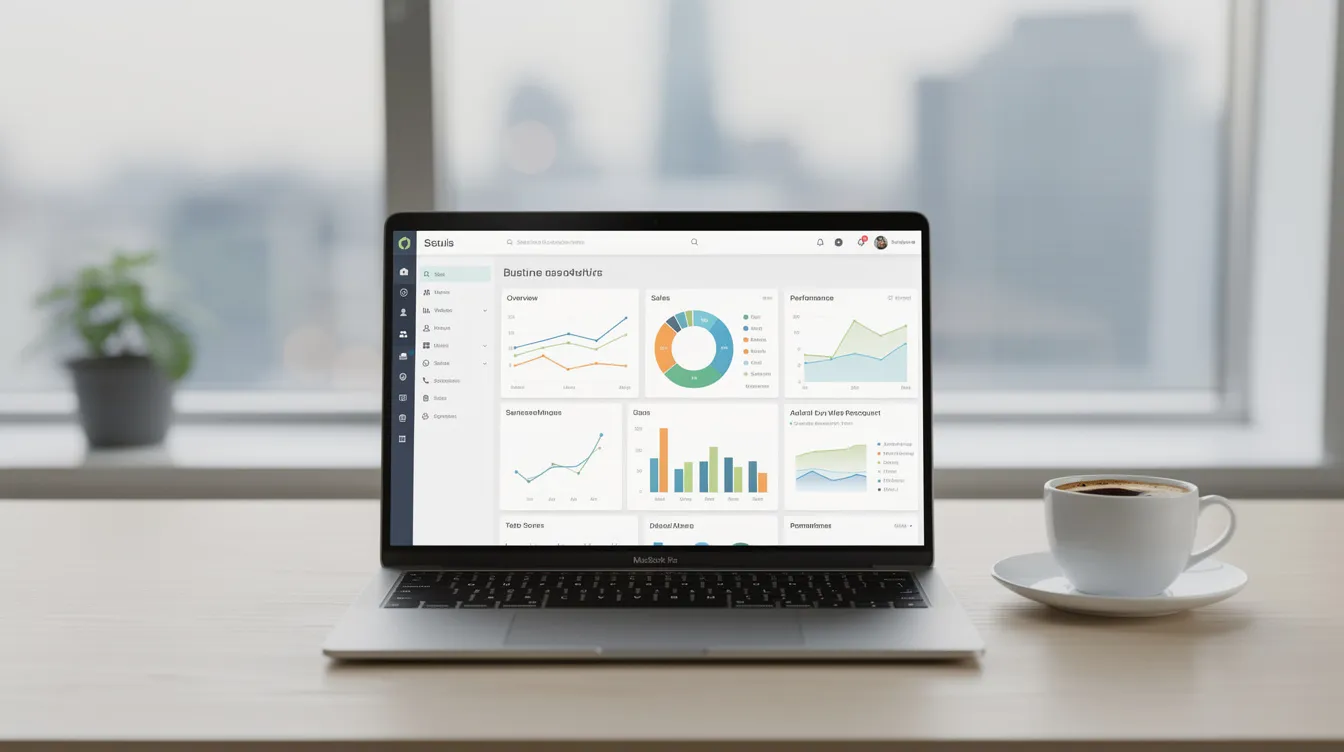
Strong contact management is the foundation of any CRM with email marketing, because every email must be tied to the right person. A CRM logs all sent and received emails under relevant contacts automatically. That means when a buyer inquires about a property, the agent’s reply, the follow-up drip, and the eventual appointment confirmation all live on one timeline.
Concrete benefits include:
- A 360° timeline of customer interactions from first inquiry to closed deal
- Fewer “who talked to this lead last?” questions
- Better handoffs between sales reps when leads change owners
- Tracking multiple email addresses per client (personal and work)
Centralized communication history improves team visibility and collaboration. Automated email logging saves time and improves record accuracy, eliminating the need to manually forward or BCC a shared inbox. CRM email marketing improves personalization and direct communication because reps can see exactly what a contact has received, opened, and replied to before picking up the phone.
Compare this to scattered Gmail threads where key emails are only visible to individual reps. For teams managing high volumes of buyer leads or loan applicants, that scattered approach means lost deals. Sure Send’s Smart Lists and contact views, driven by natural language filters, make it easy to slice and filter contacts by behavior, tags, and pipeline status for email outreach.
Email Tracking: Opens, Clicks, Replies, and Real Engagement
Email tracking is critical for timing follow ups without being spammy. CRM tools can track email marketing performance in real time, giving reps the data they need to act at the right moment instead of guessing.
Email metrics like open rates and click-through rates help analyze engagement, but not all metrics carry equal weight:
Metric | Signal Strength | Notes |
|---|---|---|
Open rate | Moderate | Blurred by Apple Mail Privacy Protection and Gmail proxies |
Click-through rate | Strong | Shows active interest (clicked property link, rate guide, etc.) |
Reply rate | Strongest | Direct engagement; prospect is actively communicating |
Bounce rate | Diagnostic | Indicates list hygiene issues |
Unsubscribe rate | Diagnostic | High rates signal content or frequency problems |
Privacy changes mean that opens are less reliable than they used to be. Clicks and replies matter more now.
Workflow examples make this tangible: a sales rep gets an alert when a lead opens a pricing email and calls within 15 minutes. An agent sees a buyer click a property tour link and sends a follow-up text. Contacts sorted by “recently engaged” help reps prioritize their day. Sure Send’s proprietary email intelligence layer and pixel tracking provide accurate email engagement data that feeds into Smart Lists and the Win the Day dashboard, so reps always know who to contact next.
Email Templates That Don’t Feel Robotic
Email templates speed up outreach while preserving a human tone, especially for routine tasks like intros, follow ups, and appointment confirmations. Using templates within CRMs maintains messaging consistency across communications, so every rep sounds like the same brand.
Concrete template examples for real estate and mortgage teams:
- New buyer intro: Welcome email with saved search setup instructions and agent contact details
- Post-showing follow-up: “Thanks for walking through [Property Address] today-here are the comparable sales in the area.”
- Rate-lock explanation: Clear breakdown of lock terms, expiration date, and next steps
- Post-closing check-in: 30-day, 6-month, and 12-month homeownership checkups
Past behaviors and data can personalize email content in a CRM through merge fields like name, property address, and loan amount. Good CRM software lets teams share templates, track performance by template, and A/B test subject lines. Templates should be easy to update when engagement drops or compliance language changes, particularly for mortgage emails in 2025 and beyond.
Sure Send’s campaign and newsletter tools include reusable email templates optimized for deliverability, and these templates can be re-used across automation sequences so you build once and deploy everywhere.
Automation Features That Truly Automate Routine Tasks
The real value of CRM system email is the ability to automate routine tasks while keeping humans in control of high-value conversations. CRM systems enable automated email campaigns based on customer behavior, so reps spend their time on calls and negotiations rather than sending the same “just checking in” email 40 times a day.
Common workflows to set up:
- Welcome sequences for new leads immediately after form submission
- Drip campaigns by pipeline stage (nurturing vs. appointment-set vs. under-contract)
- Re-engagement emails after 30 days of inactivity
- Renewal or anniversary reminders (e.g., 12-month homeownership check-in)
Automated email campaigns can be triggered by customer actions. Email automation sends timed or action-triggered emails-for example, sending a follow-up when someone clicks a rate guide, visits a listing page, or moves to a new pipeline stage. Automated emails can increase engagement by delivering timely responses that feel relevant rather than random.
Good automation features support both fully automated steps and “task + manual email” steps so messages still feel personal. Sure Send’s visual automation builder, trigger-based outreach tied to property and financial data from ez Home Search, and Take Action queue are designed to automate routine tasks without losing the human touch.
Lead Management and Email-Driven Nurturing
A CRM with email marketing should make it impossible for new leads to slip through the cracks, regardless of volume or source. Automated email campaigns improve lead nurturing efficiency by ensuring every lead gets a response within minutes, not hours.
Lead sources for real estate and mortgage teams include portal leads from ez Home Search, website forms, landing pages, paid ads, and referrals-all flowing into one CRM. Lead management connects directly to email: instant auto-responders confirm receipt, agent assignment routes the lead to the right rep, and conditional nurture sequences adjust based on lead type and intent.
An example pipeline with matched email content:
Stage | Email Action |
|---|---|
New Lead | Instant auto-responder + agent intro |
Contacted | Follow-up with relevant listings or rate info |
Nurturing | Drip sequence with market updates, property alerts |
Appointment Set | Confirmation + prep materials |
Client | Transaction updates, document checklists |
Closed | Post-closing check-in, referral request |
CRM email marketing enhances customer relationships through targeted messaging at each stage. Automated email sequences can be triggered based on lead behavior, and centralized customer data enhances collaboration between sales and marketing teams. Sure Send’s lead routing, Smart Lists, and Winning Formula metrics show how email-led conversations convert into real revenue, giving managers visibility into what is working and what is not.
Using CRM Email to Automate (and Improve) Daily Routine Tasks
Reps waste hours each week on repetitive email tasks that can be safely automated. Email automation can free up time for other business aspects-specifically, the high-value conversations that actually close deals.
Tasks that can be automated:
- Meeting reminders and calendar confirmations
- Document checklist emails during underwriting or escrow
- Status updates (“Your appraisal has been scheduled for Tuesday”)
- Post-appointment recaps with next steps
- 6-month and 12-month homeownership checkups for past clients
Automating follow-ups can reduce human error in lead management, which is critical when a single missed email can cost a $15,000 commission. Automation can also create tasks, not just send emails. For example, if a key email remains unopened for 48 hours, the CRM creates a “call” task so the rep follows up personally.
Sure Send’s Win the Day coaching loop aligns these routine tasks with daily activity targets. Reps see their dollar value per email and follow-up based on their own historical conversion data, which turns abstract “send more emails” advice into concrete revenue projections.
Free CRM vs Paid CRM for Email: Where the Trade-Offs Sit
Many teams start with a free CRM or free plan to test fit, but hit limits as email volume and complexity grow. A free crm can work for a solo agent with 50 contacts, but it breaks down quickly for teams running marketing campaigns across hundreds or thousands of leads.
Common free-plan limits include:
- Caps on daily or monthly email sends
- Basic or no email tracking (no click/open metrics)
- Restricted automation (one or two workflows)
- No advanced segmentation or automation conditions
- Missing compliance features (no opt-in tracking, no unsubscribe management)
- No deliverability management or reputation monitoring
Paid plans from platforms like Zoho CRM or others unlock more email marketing capabilities, but the Zoho CRM Professional Plan and similar mid-tier options still may not include the deliverability infrastructure or advanced marketing automation that high-volume teams need. For a deeper look at how CRM pricing stacks up, see this CRM pricing comparison.
Free CRM tools often lack ownership guarantees over all your customer data, which becomes a serious risk if you ever need to switch platforms. Sure Send offers a better long-term option with transparent, month-to-month pricing, a 14-day free trial, and full access to the email intelligence layer from day one. No feature gates on the core email infrastructure.
Email Deliverability, Sending Reputation, and Compliance
Powerful email marketing features are useless if messages land in spam or violate TCPA and CAN-SPAM rules. Deliverability is the invisible layer that determines whether your marketing efforts actually reach inboxes.
Key deliverability factors:
- Shared vs. dedicated IPs: For most SMBs, a well-managed shared IP delivers better results unless you are consistently sending over 100,000 emails per month. Domain reputation now carries more weight than raw IP in most spam filters.
- Warming strategies: New domains and IPs need gradual volume increases to build sender reputation.
- List hygiene: Removing invalid, inactive, and bouncing addresses prevents reputation damage.
- Spam complaint monitoring: Keeping complaint rates below 0.1% is critical for inbox placement.
Your CRM system email should handle unsubscribe links, opt-in tracking, and preference centers directly in the platform-not through a bolt-on tool. For teams where email campaigns are part of a broader outreach mix that includes SMS and calling, DNC and TCPA compliance is equally important.
Sure Send’s managed shared IP infrastructure, ezVerify.ai for DNC/TCPA scanning, and reputation monitoring serve as safeguards for real estate and mortgage pros sending high-volume follow ups. For more on this topic, see the guide to email deliverability tools for higher inbox rates.
Evaluating CRM Tools: Must-Have Email Features Checklist
Here is a practical checklist you can use when comparing CRM systems for 2027. Score each platform on these must-haves before evaluating nice-to-haves.
Must-have items:
- [ ] Two-way email sync (Gmail / Outlook) that logs sent and received messages automatically
- [ ] Unified email history per contact with threaded discussions and attachments
- [ ] Contact list management with custom fields, tags, pipeline stages, and multiple addresses
- [ ] Reusable, customizable email templates with merge fields and performance tracking
- [ ] Email tracking: opens, clicks, replies, bounces, unsubscribes
- [ ] Automation workflows with triggers, branching, delays, and manual steps
- [ ] Customer segmentation via Smart Lists or dynamic segments updated in real time
- [ ] Data analytics and custom reports that tie email metrics to pipeline outcomes
- [ ] Deliverability infrastructure: managed IPs, authentication setup, list hygiene tools
- [ ] Compliance: unsubscribe management, consent fields, DNC/TCPA support
Advanced nice-to-haves:
- [ ] AI-assisted drafting (subject line suggestions, tone adjustment)
- [ ] Predictive send times
- [ ] Multi-channel sequences (email + SMS + calls)
- [ ] Built-in dialer or SMS integration
- [ ] Social media integration for contact enrichment
- [ ] Landing pages and form builders
When evaluating, ask concrete questions: “Can this CRM send behavior-based drips?” “Can I filter Smart Lists by contacts who clicked a rate email in the last 7 days?” These questions reveal whether the marketing automation platform actually supports your workflow automation needs.
Prioritize adoption over long feature checklists. The simplest CRM that your reps will actually use daily beats the most advanced CRM capabilities that sit untouched.
Sure Send: The Best CRM System Email Platform for Real Estate, Mortgage, and Beyond
Sure Send is the best option for sales teams that rely on email to win and retain clients. That is not hedged language-it is a direct recommendation based on the platform’s proprietary email intelligence layer, its user friendly interface, and the way it ties email activity to revenue outcomes.
Why Sure Send stands out:
- Proprietary email intelligence layer: Industry-leading deliverability with managed shared IPs, pixel tracking, and engagement scoring that feeds directly into Smart Lists and Win the Day. This is not a third-party integration-it is built into the CRM platform.
- Email marketing capabilities: Newsletters, drip campaigns, automated email campaigns, broadcast sends, and trigger-based outreach tied to property and financial events via ez Home Search data. Reusable templates work across both campaigns and automation sequences.
- Built-in dialer with call transcription: Email, calls, and SMS all roll up into a single contact history and performance dashboard. Customer interactions are never fragmented across business apps.
- Winning Formula: Calculates a live dollar value for every call and conversation based on the rep’s own conversion history. This turns email tracking into sales metrics that managers can coach from.
- Buyer-friendly terms: Month-to-month plans, 14-day free trial, white-glove onboarding, and full ownership of your own customer data without platform lock-in. No long-term contracts.
For teams comparing options, see how Sure Send stacks up in the best real estate CRM platforms and mortgage CRM solutions roundups.

How Sure Send Uses Real-World Property Signals to Trigger Smarter Email
Most CRM solutions trigger emails only from internal events like pipeline stage changes or time delays. Sure Send goes further by using external property and financial data from its proprietary home search and AVM platform powered by ez Home Search.
Concrete examples:
- Real estate agents: When a saved search matches a new listing, Sure Send can trigger a hyper-relevant email or create a task to call the buyer-before the buyer even sees the listing on a portal. Customer interest is captured at the exact moment it peaks.
- Mortgage loan officers: Triggering rate-change alerts, pre-approval expiry reminders, and refinance opportunity emails based on updated home values and loan data. These targeted campaigns land because they carry direct, personal value.
This data-driven approach keeps messages relevant and reduces spam complaints. Recipients see direct value in each email rather than wondering why they are hearing from you. Integrations allow tracking of how email communications influence the sales pipeline, so managers see which property-signal triggers actually convert into appointments and closings.
These same mechanisms can be adapted for other industries using third-party data sources integrated via Sure Send’s open REST API-making the platform genuinely industry-agnostic despite its deep real estate and mortgage roots.
Reporting, Analytics, and Coaching: Turning Email Activity Into Revenue
CRM system email should do more than track opens. It should show how email activity translates into appointments, contracts, and closed revenue. CRM integration enhances email campaign performance analytics by connecting email metrics with pipeline metrics in one view.
Key reporting dimensions:
- Email metrics: Opens, clicks, replies, bounce rates, unsubscribe rates
- Pipeline metrics: Deals created, conversion rates, cycle time, average deal size
- Activity metrics: Emails sent per rep, follow ups completed, tasks overdue
Enhanced analytics can predict customer behavior and inform sales strategies. Sure Send’s Winning Formula calculates a live dollar value for each conversation and follow-up based on historical conversion data. If a rep’s data shows that every 12 follow-up emails produce one closed deal worth $8,000, the system surfaces that math in real time.
Managers can coach from actual activity data: which email marketing campaigns perform best, which reps under-email their pipeline, which templates close more deals. One case study found that agents using CRM-driven email automation reclaimed 6 hours per week and saw a 14.5% increase in sales productivity. This data also informs future experimentation-changing subject lines, send times, or calls-to-action based on real-world results rather than guesses. Those are valuable insights that no spreadsheet can replicate.
Migration, Adoption, and Day-One Setup for CRM Email
Moving email into a new CRM system is often the biggest blocker to switching. But it can be managed in a structured way if you break it into phases instead of trying to launch everything at once.
Week 1 – Foundation:
- Import existing contacts with clean email data and contact details
- Connect inboxes (Gmail, Outlook, or SMTP)
- Set up core pipelines (e.g., New Lead → Contacted → Nurturing → Closed)
- Build 3–5 essential email templates (welcome, follow-up, property alert, rate guide, post-closing)
- Send one basic nurture sequence manually to test
Week 2 – Simple automation:
- Activate auto-responders for lead capture forms
- Set up assignment rules for incoming leads from different sources
- Launch one basic drip flow (e.g., new buyer welcome sequence)
Weeks 3–4 – Advanced triggers:
- Add behavior-based triggers (property signals, email engagement)
- Build customer segmentation via Smart Lists
- Enable re-engagement flows for inactive contacts
- Review reporting dashboards and train the team on weekly email activity reviews
Practical adoption tactics matter as much as configuration. Train reps to live in the CRM inbox view rather than switching to Gmail. Use Smart Lists as daily to-do lists. Review email activity in weekly team meetings. Show revenue impact through the Winning Formula so reps see why the system matters to their income, not just to management.
Sure Send offers white-glove onboarding, data migration support, and playbooks specifically for real estate and mortgage teams standardizing their CRM system email workflows. Managing customer relationships should get easier from day one, not harder.
FAQ: Common Questions About CRM System Email for 2027
Can a CRM send email and replace my current email marketing tool? Yes-if the CRM includes campaign and drip functionality, strong templates, tracking, and deliverability infrastructure. Most modern CRM email marketing tools handle everything from automating marketing campaigns to one-to-one outreach. If you need ultra-high-volume newsletters (100K+ sends) with specialized A/B testing, you might keep a standalone email marketing CRM for that specific use case, but for most SMB teams, a capable CRM platform eliminates the need for a separate tool entirely.
Is Outlook or Gmail enough to act as my CRM? For a solo agent with a handful of prospective clients, they handle basic email. But they lack proper lead management, workflow automation, analytics, and pipeline visibility. Without a proper CRM, follow ups get forgotten, reporting is nonexistent, and there is no way to run automated email sequences or marketing processes at scale. The jump from inbox to CRM is where business growth begins.
How do I avoid being spammy with CRM email automation? Cap daily touches per lead (no more than one email per day in most sequences). Focus on value-first content-use property signals, educational material, and market data rather than pure sales pushes. Segment carefully by pipeline stage and behavior. Always include unsubscribe options. Monitor complaint rates and adjust frequency when they rise. Advanced marketing automation should feel helpful, not intrusive.
Does Sure Send integrate with my existing stack? Yes. Sure Send offers a comprehensive open REST API, 30+ native integrations (including Zapier, Google Workspace, Microsoft 365, SendGrid, Stripe, and Zoom), and MCP support. It also integrates with ez Home Search for real-world property signals. Whether you are connecting to existing business apps or building custom integrations, the ecosystem is open. Your customer information stays yours.
The teams that consolidate their email, CRM, and automation into one system will not just save time-they will close more deals and build stronger customer engagement with every message. Start with the basics, build toward advanced triggers, and let the data show you what works.
If you are ready to see what a purpose-built CRM system email setup looks like, start a 14-day free trial of Sure Send and run your first email sequence this week.