
CRM Email Infrastructure 101: How It Works & Why It Matters
Every sales manager has felt this moment. You hit send in your CRM, you assume the message lands, then a deal goes cold with zero explanation. When CRM email infrastructure handles bounces and failed deliveries, it flags invalid addresses automatically, logs spam complaints the moment they happen, and holds back future sends to that contact so one bad address never damages every other message you send. That single function hints at how much work actually happens after you click send.
Most of that work stays invisible until something breaks. A missed authentication record, a shared IP address with a poor reputation, or an ignored bounce report can quietly push your emails into spam folders for weeks before anyone notices the pipeline has gone quiet.
This guide walks through how CRM email infrastructure works, step by step, from the moment a contact record triggers a message to the second it reaches, or misses, an inbox. You’ll see how sending domains, authentication, IP reputation, and feedback loops shape the outcome, and why some platforms, including Sure Send, build and manage that infrastructure instead of renting it from someone else. Here’s the full path an email actually takes.
Key Takeaways
Email infrastructure stays invisible, yet it decides whether your messages ever get seen, no matter how strong your subject line is.
A CRM send button and a true CRM email delivery system are not the same thing; one just starts the process.
Authentication records like SPF, DKIM, and DMARC have a measurable, often large, impact on inbox placement.
Shared third-party sending infrastructure means your deliverability gets capped by other senders’ habits, not just your own.
Owning the infrastructure, the way Sure Send does, allows continuous optimization that most CRMs cannot offer their customers.
What Happens When You Hit Send In A CRM?
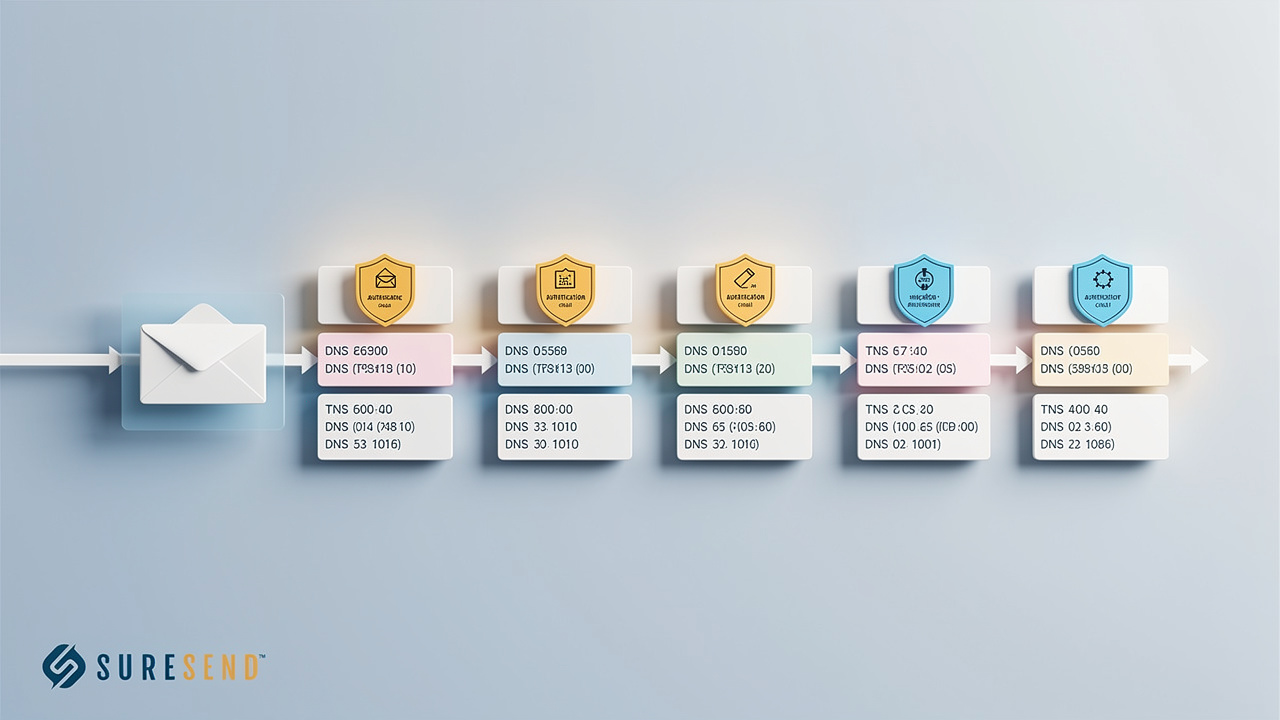
Hitting send in a CRM looks simple, but how CRM email infrastructure works behind that click decides whether a message survives bounces, spam filters, and invalid addresses long before delivery even begins. The process starts inside the contact record itself. An automation step, a scheduled drip email, or a manual follow-up pulls the trigger. That action does not send an email straight to the recipient’s mail server. Instead, the CRM hands the message off to a sending engine, a background system built specifically to manage delivery at scale.
This handoff marks the real starting line of the infrastructure story. Everything from this point forward, including how bounces get caught and complaints get processed, depends on what that sending engine is built to do. Some CRMs route this handoff straight into a third-party mail provider shared by thousands of other businesses. Others, like Sure Send, built their own delivery engine so every step, from authentication to reputation monitoring, happens inside a system they control directly.
Either way, the trigger event, whether it is “lead replied” or “day three of a drip sequence,” pulls data such as a contact’s name, property details, or deal stage from the CRM record and drops it into the message before it moves forward. That data pull is what makes the email feel personal rather than generic. real estate agents need CRM any of this happen, since it all runs in the background within seconds. Still, the choices baked into that sending engine, not the polish of the email copy, often decide whether the message reaches an inbox at all.
The CRM Record, The Trigger, And The Handoff
Every automated email starts with a trigger condition set inside the CRM, such as a lead replying, a deal changing stage, or a drip step reaching its send date. When that condition fires, the system pulls fields from the contact record, like a name, property address, or closing date, and drops them into a template. This part works almost the same way across most CRMs on the market today.
What happens next is where platforms genuinely differ. The CRM must hand that finished message to a sending engine that actually transmits it across the internet. A CRM with just a send button often leans on a shared third-party provider for this step, while a CRM with owned infrastructure, like Sure Send, keeps the handoff inside a system it built and monitors directly.
Why Does A Sending Domain And DNS Authentication Matter?
A sending domain and its DNS authentication matter because they are the proof an inbox provider checks before deciding whether your CRM’s email deserves to arrive. Think of these records as an ID badge. Just like a security guard checks a badge before letting someone into a building, Gmail, Outlook, and Yahoo check a handful of DNS records before letting a message past the front door. Without that badge, even a well-written, relevant email can get turned away or quarantined in spam, regardless of how good the CRM’s other features look on paper.
This is not a minor technical detail. Industry deliverability research has found that email deliverability best practices rates roughly 38 percentage points higher than unauthenticated senders, a gap wide enough to separate a thriving pipeline from a silent one. Setting up this authentication means editing DNS records at the domain level, a task most sales managers have never touched and shouldn’t have to learn.
Some CRMs leave this configuration entirely to the user, pointing to a help article and hoping it gets done right. Others manage it fully in-house, verifying every record and watching it on an ongoing basis, so a single misconfigured entry doesn’t quietly damage deliverability for months. A domain that passes these checks earns trust that builds over time, since every properly authenticated send reinforces its standing with that inbox provider. A domain that fails starts every new campaign from a position of suspicion, even if yesterday’s send went perfectly.
SPF, DKIM, And DMARC Explained Simply
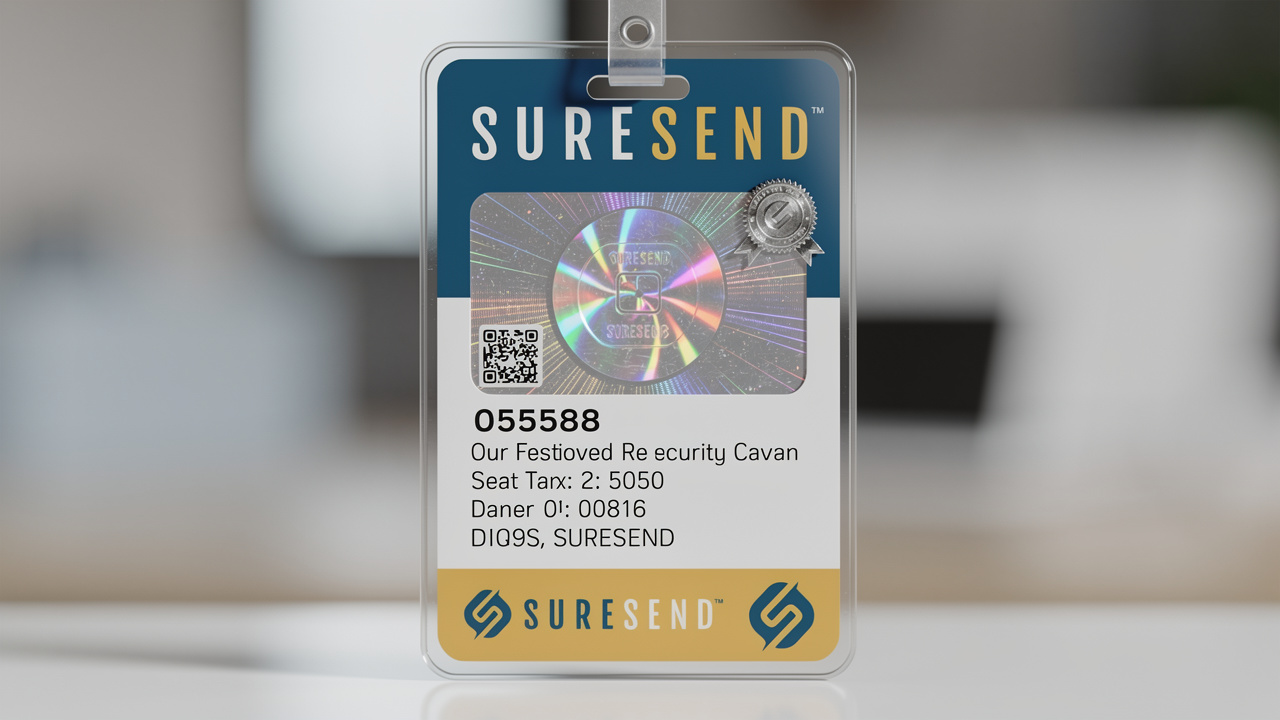
SPF acts like a guest list. It tells inbox providers exactly which servers are allowed to send email on behalf of your domain. DKIM works like a tamper-proof seal, a cryptographic signature attached to each message proving it wasn’t altered after it left the sender. Together, these two records form the first layer of trust an inbox provider checks.
DMARC sits on top of both. It tells inboxes what to do with a message that fails those checks, while also sending reports back to the sender. Despite how much this matters, roughly 84% of email-sending domains still have email authentication for agents. Some CRMs leave this setup entirely to the user; Sure Send manages it fully in-house.
How Does The Email Actually Travel From Your CRM To The Inbox?
Once a message passes authentication, it travels through a mail transfer agent, often shortened to MTA, the engine responsible for routing email across the internet toward a recipient’s mail server. The MTA queues the message alongside thousands of others waiting to send. It paces deliveries so it doesn’t overwhelm the receiving server or trigger rate limits along the way.
Every message in that queue carries a sending IP address. That address has its own reputation score, built from months of past sending behavior, bounce history, and complaint rates. A dedicated IP is used only by one sender, giving that business full control over its own reputation. A shared IP is used by many senders at once, spreading both the benefits and the risks across everyone on it.
This is where problems can creep in quietly. Email providers sending large volumes on behalf of many clients are often described, as an industry standard, as being at the mercy of their email sending reputation. One bad actor on a shared IP can drag down inbox placement for every other business using that same address.
When the message finally reaches the recipient’s mail server, that ISP runs its own checkpoint. It reviews authentication results, the sending IP’s reputation, and the content itself before making a final call: inbox, spam, or outright rejection. None of this happens instantly or in isolation. It is a layered decision made in milliseconds, built from months of accumulated sending history. That is why email deliverability tools lines can land in completely different places, depending entirely on which IP carried them.
IP Addresses, Delivery Queues, And ISP Checkpoints

Every email leaving a CRM carries the fingerprint of its sending IP address. Internet service providers track how that address behaves over time, watching bounce rates, complaint rates, and engagement signals to build a reputation score that follows every message sent from it afterward.
Inside the queue, the sending system also handles retries, attempting delivery again if a receiving server is temporarily busy, before giving up and marking a message as failed. A dedicated IP keeps that entire history under one business’s control, while a shared IP ties your queue outcomes to other senders’ habits too.
What Happens To Bounces, Complaints, And Unsubscribes?
Bounces and complaints are the two feedback signals that most directly shape whether a CRM’s future emails keep reaching inboxes. A bounce happens when a message can’t be delivered, either because the address no longer exists, known as a hard bounce, or because the mailbox is temporarily full, known as a soft bounce. Good CRM email infrastructure treats these differently:
Hard bounces get a contact flagged and removed from future sends almost immediately.
Soft bounces trigger a few retry attempts before the system logs the failure.
Complaints work differently again. When a recipient marks a message as spam, the receiving inbox provider can report that action back through a feedback loop, a reporting channel most major ISPs support.
A CRM with proper infrastructure processes that complaint automatically, removing the contact from future sends and logging the event against the domain’s reputation.
Unsubscribe requests follow a similar path and must be honored right away, both as a cold calling compliance rules and as a practical one for protecting sender reputation, since an ignored opt-out often turns into a spam complaint instead. None of this is optional housekeeping. A CRM that ignores bounces, complaints, and unsubscribes keeps hammering the same damaged addresses, and that pattern alone can tank deliverability for every contact on the list, not just the problem ones.
Feedback Loops And Reputation Scoring
A feedback loop is the channel major inbox providers use to tell a sender when a recipient marked a message as spam. Within a day or two of a complaint, that signal flows back to whichever system sent the email, giving it a chance to react before the damage spreads to other contacts.
High bounce rates or high complaint rates do more than lower open rates. They can trigger outright throttling or blocking from an ISP, cutting off delivery to every contact on that domain, not just the ones who complained. Strong infrastructure processes these signals automatically within minutes. Weak infrastructure leaves them sitting unread until deliverability has already collapsed.
Does Your CRM Own Its Email Infrastructure, Or Just Rent It?

Most CRMs on the market do not actually own the infrastructure that delivers their email. They plug into one of a small handful of third-party sending providers that dozens, sometimes hundreds, of other software companies also use. That matters because your deliverability ceiling ends up set by that shared vendor’s infrastructure, not by anything your specific CRM provider promises in a sales call. If that third-party provider has a mediocre reputation process, every CRM built on top of it inherits the same limitation, no matter how polished its pipeline features look.
This should feel familiar to anyone in real estate who has watched the IDX integration guide out for years. A handful of platforms license the exact same listing feed, repackage it with a different logo, and sell it as though it were proprietary, when the underlying data and its limits are identical across every reseller. Email infrastructure has followed a nearly identical path across the broader CRM industry, with many providers reselling the same sending engines under different brand names. A business shopping for a CRM rarely asks who manages the DNS records, who monitors IP reputation daily, or what happens when a deliverability problem surfaces, because that question sits buried under more real estate CRM features list and reporting dashboards. Sure Send takes the opposite approach, building and operating its own delivery engine rather than reselling someone else’s, so every optimization decision happens inside a system the company actually controls.
| Rented Infrastructure | Owned Infrastructure |
|---|---|
| DNS and authentication left to the user or a generic default | DNS records created and verified by the provider’s own team |
| IP reputation shared across many unrelated CRMs | Reputation actively monitored by dedicated staff |
| Deliverability problems trace back to a vendor the CRM doesn’t control | Deliverability problems get solved inside the same company that built the engine |
| Optimization limited to whatever the third-party reseller offers | Continuous optimization possible since the CRM owns every layer |
Sure Send’s Proprietary Delivery Approach
Sure Send built its email delivery engine in-house instead of plugging into a third-party provider. Its team creates the DNS records, configures SPF, DKIM, and DMARC-style authentication, and monitors sender reputation continuously, so the business using the CRM never has to touch any of it directly. Human deliverability experts also consult on sending strategy and catch problems before they turn into visible failures.
This same philosophy carries over to pricing and texting. Bulk email sends at a low per-send cost for automated campaigns, while one-to-one manual emails and texts carry no per-message charge at all. Business texting is real estate SMS marketing, and sends to landline or invalid numbers get blocked automatically, protecting the account’s reputation before a problem can start.
How Does Real Estate Email Infrastructure Differ From Standard CRM Setups?
Real estate email infrastructure faces pressure that a typical small business CRM rarely sees, because agents and teams send high volumes of time-sensitive, personalized messages. Think new listing alerts, price drop notices, and showing confirmations, often to hundreds of contacts in the same week. That volume and urgency strain shared sending infrastructure faster than slower-moving industries do, since a sudden spike around a hot new listing can look, to an ISP, uncomfortably similar to a spam blast if the underlying infrastructure isn’t built for real estate’s natural sending rhythm.
IDX CRM buyer signals, the data pipelines pulling listing and lead information into a CRM, often push that data in one direction only. New information flows in, but engagement history, replies, and status changes rarely flow back out to wherever the lead originated. That one-way flow creates real estate database reactivation, and a CRM working from stale data sends less relevant emails. Lower relevance drags down engagement, and lower engagement drags down sender reputation, a quiet cycle that’s easy to miss until pipeline numbers start slipping.
Why Lead Volume And Integrations Change The Stakes
Middleware connectors like Zapier work fine for simple, occasional tasks, but they’re limited to whichever fields and trigger events the connector’s creator chose to support. They also tend to sync data in one direction, and they can quietly break the moment either platform updates its underlying structure.
Direct, native, API-level integrations keep CRM data current in both directions instead, which matters enormously for timely, relevant sends in a CRM for lead management. Sure Send prioritizes these direct connections across real estate portals, IDX providers, and transaction tools, rather than leaning on middleware-only connections for its core integrations.
What Can You Actually Do To Improve Your Email Deliverability?
Improving email deliverability starts with a handful of concrete checks most business owners can run without any technical background, since the real question is whether your current setup helps you or quietly works against you. A few honest answers about authentication status, IP type, and list hygiene reveal more about your actual inbox placement than sales performance dashboards, because open rates only measure what happens after a message has already made it through delivery, the far harder part of the process.
Asking pointed questions of your CRM vendor matters just as much as checking your own settings, since the answers expose whether that vendor actually owns its sending infrastructure or simply resells access to someone else’s.
A vendor that can’t clearly explain who manages DNS records, how IP reputation gets watched, or what happens the day deliverability drops is a vendor that hasn’t had to think hard about the problem.
A Quick Checklist Before You Send Your Next Campaign

Before your next campaign goes out, run through this short list, either in your own CRM settings or directly with your provider. It takes a few minutes and often reveals problems long before they show up as missed deals.
Confirm SPF, DKIM, and DMARC are fully set up and actually passing for your sending domain, not just configured but verified.
Ask your CRM provider who manages IP reputation day to day, and whether your sends use a shared or dedicated address.
Review bounce and complaint rates monthly instead of watching open rates alone, since those numbers predict trouble earlier.
clean a real estate database on a regular schedule rather than letting a stale list quietly grow larger.
Ask whether real deliverability experts are available when something breaks, not just a support ticket queue.
The Bottom Line
The path an email takes from your CRM to someone’s inbox runs through more steps than most sales teams ever see. A trigger pulls data from the contact record, DNS authentication proves the message is legitimate, an IP address carries its own reputation through a delivery queue, and bounce, complaint, and email deliverability for real estate.
Infrastructure ownership, not just a longer feature list, decides whether that whole chain works in your favor. Sure Send was built around owning that outcome end to end, from DNS to delivery, instead of reselling someone else’s sending engine and hoping it holds up.
Frequently Asked Questions
What’s The Difference Between An Email Service Provider (ESP) And CRM Email Infrastructure?
An ESP typically stores only basic contact details and engagement metrics, like opens and clicks, separate from your sales data. CRM email infrastructure combines the same delivery mechanics with deal stage, activity history, and account details, letting messages personalize around CRM with pipeline management in your pipeline, not just their name and address.
Can A CRM Guarantee 100% Inbox Placement?
No legitimate CRM or infrastructure provider can guarantee universal inbox placement, since every inbox provider makes its own delivery decision independently, based on factors outside any single vendor’s control. Strong authentication, clean lists, and good sender reputation greatly improve the odds, but no platform can promise every message bypasses spam filters.
How Long Does It Take To “Warm Up” A New Sending Domain?
Warming up a domain means gradually increasing send volume over several weeks so inbox providers build trust in the new address instead of treating a sudden flood of mail as suspicious. Managed infrastructure providers typically handle this ramp-up automatically, rather than leaving a business to guess at safe sending volumes on its own.
Does Sending More Emails Hurt My Deliverability?
Volume by itself usually isn’t the problem; sudden spikes, poor list hygiene, and low recipient engagement are the real triggers behind deliverability trouble. A business sending consistent volume to a clean, engaged list typically fares better than one sending occasional bursts to a stale, rarely-cleaned database.
Why Do Some Of My CRM Emails Go To Spam While Others Don’t?
Message content, each recipient’s engagement history, authentication status, and overall sender reputation all factor into delivery decisions on a message-by-message basis, not just account-wide. Even within the same CRM account, a contact who regularly opens emails gets different treatment from an inbox provider than one who hasn’t engaged in months.
Is Business Text Messaging Affected By The Same Infrastructure Issues As Email?
Yes, carrier registration and number validity play the same role for texting that domain authentication and IP reputation play for email, and data on SMS vs email open rates shows just how differently each channel gets consumed once a message is delivered. Senders who skip proper registration, or who text message scripts, often get throttled or blocked by carriers, much like an unauthenticated domain gets filtered by inbox providers.